1
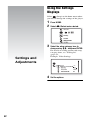
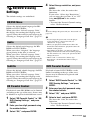
To adjust the audio characteristics
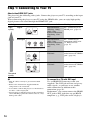
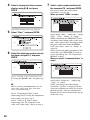
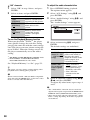
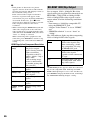
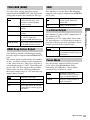
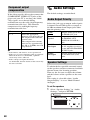
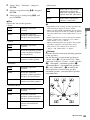
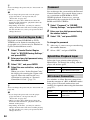
“NR” elements
1
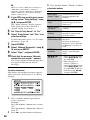
Select “NR” in step 4 above, and press
ENTER.
1
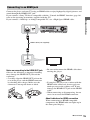
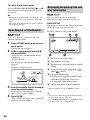
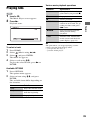
Press OPTIONS during playback.
The options menu appears.
2
Select an item, and press ENTER.
2
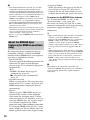
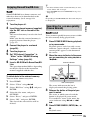
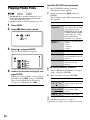
Select “A/V Settings” using M/m, and
press ENTER.
3
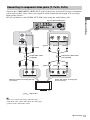
Select “Audio Settings” using M/m, and
press ENTER.
The “Audio Settings” screen appears.
4
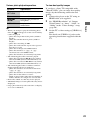
Select an item using M/m, and press
ENTER.
The default settings are underlined.
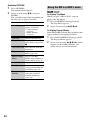
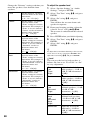
Items
Details
FNR
(Off/Auto)
Reduces random noise
appearing in the picture.
BNR
(Off/Auto)
Reduces mosaic-like
block noise in the
picture.
MNR
(Off/Auto)
Reduces minor noise
around the picture
outlines (mosquito
noise).
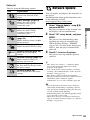
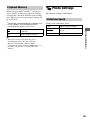
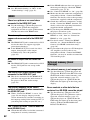
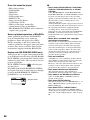
To use the Playback Memory function
When you play BDs*1/DVDs*2, the player
stores picture settings for each disc, letting
you play the same disc with the same settings
later. The player can store picture settings for
up to 50 discs. When the settings exceed 50,
the player automatically erases the oldest
setting.
*1
*2
BD-ROMs and BD-REs/BD-Rs in BDMV mode
DVD VIDEOs and DVD-RWs/DVD-Rs/
DVD+RWs/DVD+Rs in video mode
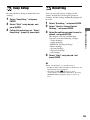
Set “Playback Memory” to “On” (page 55).
z
The player can store picture settings during video
playback but not during photo playback.
b
When connected with a Theatre Mode-compatible
Sony TV using the HDMI cable, set the TV’s video
mode to a mode other than Theatre.
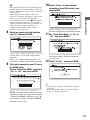
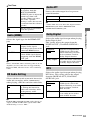
5
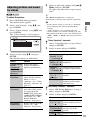
Items
Details
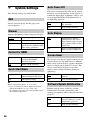
AV SYNC
(short) 0 ~ 20
~ 120 msec
(long)
Adjusts the gap between
picture and sound, by
delaying the sound
output in relation to the
picture output (0 to
120 milliseconds).
Audio Filter
(for analogue
audio signals
only)
• Sharp: Provides a
wide frequency range
and spatial feeling.
Normally select this.
• Slow: Provides
smooth and warm
sound.
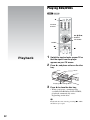
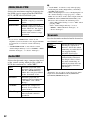
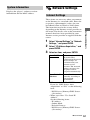
Select or adjust the settings using </M/
m/,, and press ENTER.
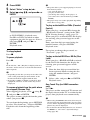
To adjust any other items, repeat steps 4
and 5.
b
• The “Audio Filter” function does not work for
digital audio signals output from the HDMI OUT/
DIGITAL OUT (OPTICAL/COAXIAL) jacks.
• There may be little effect by changing the “Audio
Filter” setting depending on the disc or playback
environment.
38