1
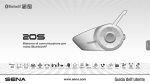
20S
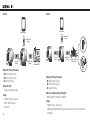
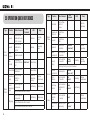
FM radio
Function
Voice
Command
Button Command
LED
Beep
FM radio on
Press the Phone
Button for 2
seconds
“FM radio”
-
Mid-tone
double beeps
FM radio off
Press the Phone
Button for 2
seconds
“FM radio”/
“Stop”
-
Mid-tone
double beeps
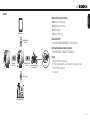
Select preset
Tap the Phone
Button
“Next”/
“Previous”
-
Mid-tone
single beep
Seek stations
Rotate the Jog Dial
while pressing
-
-
High tone triple
beeps
Scan up FM
band
Double tap the
Phone Button
-
-
-
Stop scanning
Double tap the
Phone Button
-
-
High tone
double beeps
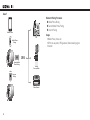
Save preset
while
scanning
Tap the Phone
Button
-
-
High tone
double beeps
Press the Phone
Button for 12
seconds
-
Solid red
High tone
double beeps
-
-
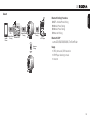
Factory reset
Reset
Tap the Jog Dial within 5 seconds
Fault reset
Press the Reset
Button
-
CERTIFICATION AND SAFETY APPROVALS
FCC Compliance Statement
This device complies with part 15 of the FCC rules. Operation is subject to
the following two conditions:
(1) This device may not cause harmful interference, and
(2) This device must accept any interference received, including
interference that may cause undesired operation.
This equipment has been tested and found to comply with the limits for a Class
B digital device pursuant to part 15 of the FCC rules. These limits are designed
to provide reasonable protection against harmful interference in a residential
installation. This equipment generates, uses and can radiate radio frequency
energy and, if not installed and used in accordance with the instructions,
may cause harmful interference to radio communications. However, there is
no guarantee that interference will not occur in a particular installation. If this
equipment does cause harmful interference to radio or television reception,
which can be determined by turning the equipment on and off, the user is
encouraged to try to correct the interference by one or more of the following
measures:
• Reorient or relocate the receiving antennae
• Increase the separation between the equipment and the receiver
•C
onnect the equipment into an outlet on a circuit different from that to
which the receiver is connected.
•C
onsult the dealer or an experienced radio/TV technician for help.
57
English
Type