1
12.0 Frequently Asked Questions and Trouble Shooting
Please contact helpdesk with your queries; however some may be resolved by reading
the information below.
Installation of ePEN
Has the version of ePEN changed for this
marking series?
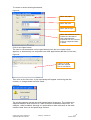
Error Message - ‘page cannot be displayed’
during installation where the user needs to
upload PC specs
No – it is the same version of ePEN that was
used since March 2008, however the View
Progress screens have been updated. If
necessary, please click on the Download and
Install ePEN link on the Landing Page to
install ePEN.
Please ensure you are connected to the
internet during installation. For assistance
installing the helpdesk can be contacted.
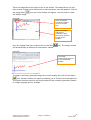
I am getting an error with Java
Please contact helpdesk with any queries.
ePEN Passwords
Should my username be the same each series?
The first 6 digits of your username are your
Assessment Associate number and should not
be different. However the last three digits
may change from series to series. Please
refer to the user details sent to you by
Edexcel.
Locked out of ePEN
Please contact the Helpdesk to be unlocked.
Your Supervisor cannot unlock your account.
Forgotten password
If you have forgotten your password, please
use the ‘Forgotten Password’ link on the login
page. A reminder will be sent to your email
address.
ePEN has asked me to change my password
during the marking period
From time to time ePEN will ask you to
change your password. This is for security
reasons.
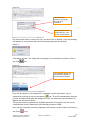
View Progress Tab
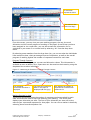
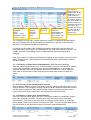
The number of items marked on View
progress does not look correct.
There can be a delay (approx 15 minutes)
before the View Progress screen is updated.
Note: The data shown includes both valid and
invalidated responses. This means any items
where your score has been changed in
backreading will be included in the total – in
previous sessions this has been subtracted.
A marker allocation has changed before the
contract completion date.
Markers who have marked the contracted
number of responses for the paper before the
contract completion date have access to
extra items from the pool.
A marker allocation has changed after the
contract completion date
Once the contract completion date has
passed, all Markers cap and allocations are
reset to 10000 to allow access to the
unmarked items.
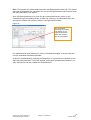
‘Close Viewer’ Issues
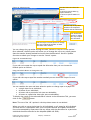
Cannot ‘Close Viewer’
The common cause of this error is the use of
pop up blockers.
Please contact Helpdesk for further advice.
56
Prepared by Online Assessment
Authorised By Peter Challinor
Company Confidential
v1.0
October 2010