Transcript
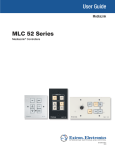
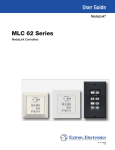
Audio Visual System User Guide System Power To use the AV facilities please ensure that the Master Power switch is ON Master Power AV Control Use the AV Control panel to: Turn the Projector ON and OFF Select a presentation source Control presentation source volume See below for more details on source selection Using the PC Select PC, then refer to the PC Login Guide Using a Laptop Connect your Laptop to the video and audio cable on the desk and select Laptop. You may need to enable your video output on your Laptop, see your Laptop documentation for more info. For PCs this is often Alt and a function key e.g. F7 Using the DVD/VHS player Make sure the player is switched ON using the power button on its front panel then select DVD on the control panel. Use the remote control to play a disc. DISPLAY ON PC OFF LAPTOP VOLUME DVD CONFIG Extron MediaLink Tie-Clip Radio Microphone The ON/OFF button can be accessed by pulling down the front flap using the two clips at either side.There is also a mute switch at the top of the pack. When finished, please make sure it is back in its charging dock and shows a solid red light on the charger. Please always use the radio microphone as it provides audio to hard of hearing systems in this room. If you are still experiencing problems, please contact: Learning and Teaching Spaces Technology Telephone: 50 4097 Email: ltsts@ed.ac.uk