1
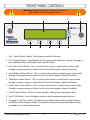
FRONT PANEL CONTROLS
Warning: Depressing buttons with pointed objects
(Pen, Pencil, etc.) will damage buttons
1
2
LIQUID LEVEL X.Xin
LOW SET X in
SYSTEM STATUS NORMAL
FILL/START
3
8
9
TEMP-A X˚C
HIGH SET X in
FILL/STOP
4
REPORT
5
6
7
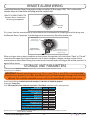
1. Key - Switch Power Control - Main power control for the unit.
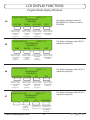
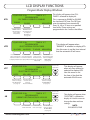
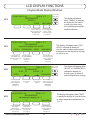
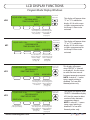
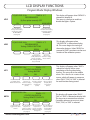
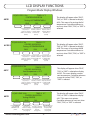
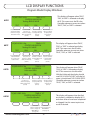
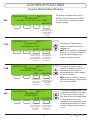
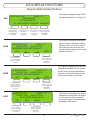
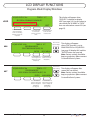
2. LCD Display Window - Text interface for the storage unit electronic settings. See page 13
for complete listing of all display menus and functions.
3. First Menu Select Button - This is used to select various control menus and to make
changes in programming as shown by the text which appears above the button.
4. Second Menu Select Button - This is used to select various control menus and to make
changes in programming as shown by the text which appears above the button.
5. Third Menu Select Button - This is used to select various control menus and to make
changes in programming as shown by the text which appears above the button.
6. Fourth Menu Select Button - This is used to select various control menus and to make
changes in programming as shown by the text which appears above the button.
7. Scroll “Down” Button - Scrolls to lower numbers when programming electronics.
8. Scroll “Up” Button - Scrolls to higher numbers when programming electronics.
9. “Program / Lock” Key Switch - Switches the controller between the Standard Operating Mode and the Program Mode. Also protects electronic programming from being
changed by unauthorized personnel.
www.custombiogenics.com
6