1
Userguide
WIP0020
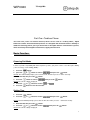
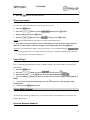
Your handset can be used with up to 4 base units. This menu option allows you to select the base you want to
use.
Note:
To use the handset with more than one base unit, you must register the handset to each base unit. See page
23.
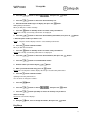
To select a base unit:
1.
Press the
2.
Press the
or
button to choose
3.
Press the
or
button to scroll through the available bases.
button.
Result: If you select
, then press the
button.
, the handset will automatically find the first available base unit when you lose
contact while moving around.
4.
Press the
button to save the selection.
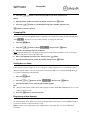
Call Barring
It is possible to set the phone to restrict numbers that can be dialed. Calls beginning with numbers you
specified can not be dialed in this feature.
You can set up to 4 different restricted numbers containing up to 4 digits each.
If the feature is on, the message
displays when the restricted number is dialed.
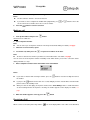
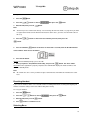
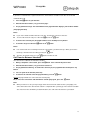
To activate a call barring number:
1.
Press the
button.
2.
Press the
3.
Enter the PIN, then press the
4.
Press the
5.
Enter the number you want to restrict, up to 4 digits.
6.
Press the
or
button to choose
, then press the
button.
button.
button to access
button to save the number.
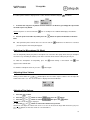
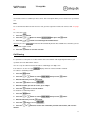
To deactivate a call barring number:
1.
Press the
button.
2.
Press the
3.
Enter the PIN, then press the
4.
Press the
button to access
5.
Press the
or
or
button to choose
, then press the
button.
button.
button to choose the cell number you want to deactivate, and clear the
number.
21