1
Making Calls
This feature must be applied for at your network service provider.
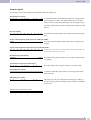
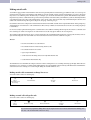
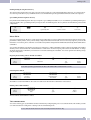
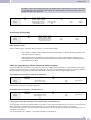
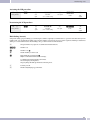
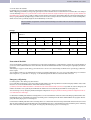
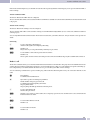
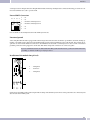
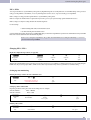
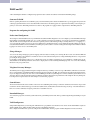
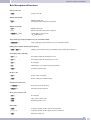
Transmission of the caller's own number is suppressed using the following procedure with analog terminal devices.
b
*594
t
Lift up
handset
l
Call number
g
Conversation
Noting an external ISDN connection
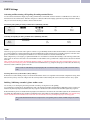
You can use for each terminal device an »automatic call back« (subscriber free) or note »an external ISDN connection«. The last entered feature will be active. The performance feature entered previously will be canceled.
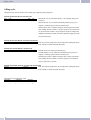
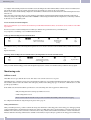
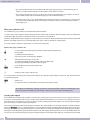
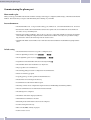
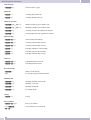
You want to call an outside party but the external ISDN connection is busy. With this procedure, you can note an external ISDN connection.
As soon as this ISDN connection is again available, your telephone rings and you can make your call. All current »reservations« are automatically deleted at midnight (0: 00). This function can only be used by telephones that permit suffix dialing.
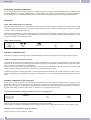
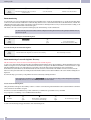
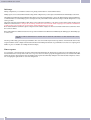
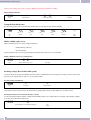
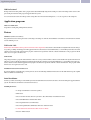
You wish to call an external party. The external ISDN connection is busy. You hear the busy signal.
g
*40
You hear the busy signal
a
l
Replace handset.
Called subscriber is again available.
b
Dial the number of the external party you wish to call.
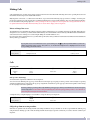
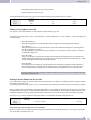
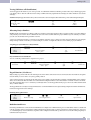
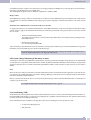
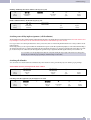
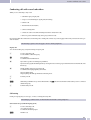
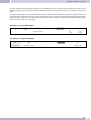
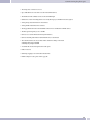
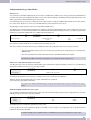
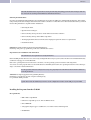
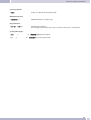
Canceling »Noting an external ISDN connection
b
#41
Lift up
handset
q
a
Ack. signal
Replace handset.
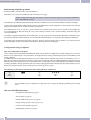
Speed dialing from the telephone directory
The PABX system is equipped with an integrated telephone directory in which you can make up to 500 entries, each with up to a 24-digit
number and up to a 20-character name (text).
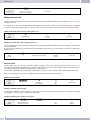
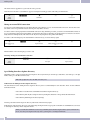
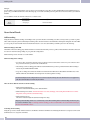
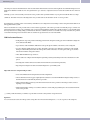
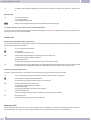
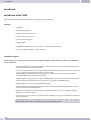
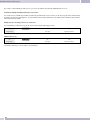
With analog telephones, the codes 000...499 alow you to
Authorization for dialing from the telephone directory
The authorization level for dialing from the telephone directory can be set individually for each subscriber. There are three different
authorization levels:
· Subscriber is not authorized to dial numbers listed in the telephone directory.
· Subscriber may dial only those telephone directory listings that match his or her specified call authorization.
· Subscriber may dial all telephone directory listings.
An analog subscriber with no telephone directory authorization hears the busy signal.
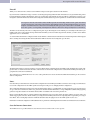
Configuration of the telephone directory is performed using the telephone directory program on the WIN-Tools CD-ROM. You can create
or edit telephone directory entries using this software.
When you download new firmware versions for your PABX system, all of the telephone directory data is deleted. Therefore, save all of your telephone directory data to your PC prior to loading new firmware.
12