1
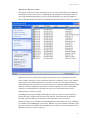
Configure Digi devices Network configuration settings The Network configuration pages include: Ethernet IP settings: For viewing IP address settings and changing as needed. See page 54. WiFi IP settings: For setting the IP address used for wireless LAN communication. See page 54. WiFi LAN settings: For setting basic options for wireless LAN devices such as network name and network connection options. See page 55. WiFi Security settings: For setting authentication and encryption options for wireless LAN devices. See page 56. WiFi 802.1x Authentication settings: Detailed authentication settings for IEEE 802.1x authentication for wireless LAN devices. See page 58. DHCP Server settings: For configuring a DHCP server to allow other devices or hosts on this network to be assigned dynamic IP addresses. See page 59. Network Services settings: Enable and disables access to various network services, such as ADDP, RealPort and Encrypted RealPort, Telnet, HTTP/HTTPS, and other services. See page 63. Dynamic DNS Update settings: For configuring a Dynamic DNS (DDNS) service that allows a user whose IP address is dynamically assigned to be located by a host or domain name. See page 66. IP Filtering settings: For configuring the Digi Cellular Family device to only accept connections from specific and known IP addresses or networks. See page 69. IP Forwarding settings: For configuring the Digi Cellular Family device to forward certain connections to other devices. This is also known as Network Address Translation (NAT) or Port Forwarding. See page 70. IP Network Failover settings: provides a dynamic method for selecting and configuring the default gateway for the Digi device using a set of rules and link tests to determine whether a particular network interface can be used to communicate with a specified destination. See page 73. Socket Tunnel settings: For configuring a socket tunnel, used to connect two network devices: one on the Digi Cellular Family device’s local network and the other on the remote network. See page 77. Virtual Private Network (VPN) settings: For configuring Virtual Private Networks, which are used to securely connect two private networks together so that devices may connect from one network to the other network using secure channels. See page 78. 52