1
C
Data Dictionary
Data dictionary information is stored in the non-Oracle system as system tables and is
accessed through ODBC application programming interfaces (APIs). This appendix
documents data dictionary translation support. It explains how to access non-Oracle
data dictionaries, describes how to use supported views and tables, and explains data
dictionary mapping.
This appendix contains the following topics:
■
Accessing the Non-Oracle Data Dictionary
■
Views and Tables Supported by Oracle Database Gateway for ODBC
Accessing the Non-Oracle Data Dictionary
Accessing a non-Oracle data dictionary table or view is identical to accessing a data
dictionary in an Oracle database. You issue a SELECT statement specifying a database
link. The Oracle data dictionary view and column names are used to access the
non-Oracle data dictionary. Synonyms of supported views are also acceptable.
For example, the following statement queries the data dictionary table ALL_USERS to
retrieve all users in the non-Oracle system:
SQL SELECT * FROM all_users@sid1;
When you issue a data dictionary access query, the ODBC agent:
1.
Maps the requested table, view, or synonym to one or more ODBC APIs (see
Section , "Data Dictionary Mapping"). The agent translates all data dictionary
column names to their corresponding non-Oracle column names within the query.
2.
Sends the sequence of APIs to the non-Oracle system.
3.
Possibly converts the retrieved non-Oracle data to give it the appearance of the
Oracle data dictionary table.
4.
Passes the data dictionary information from the non-Oracle system table to Oracle.
The values returned when querying the Oracle Database
Gateway for ODBC data dictionary may not be the same as those
returned by the Oracle SQL*Plus DESCRIBE command.
Note:
Views and Tables Supported by Oracle Database Gateway for ODBC
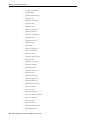
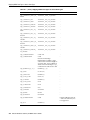
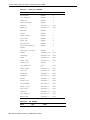
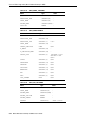
Oracle Database Gateway for ODBC supports only the views and tables shown in
Table C–1.
Data Dictionary C-1