1
4. MAINTENANCE
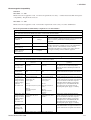
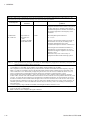
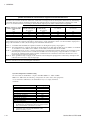
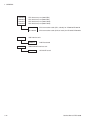
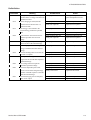
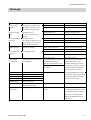
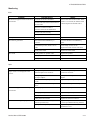
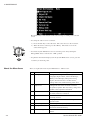
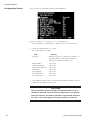
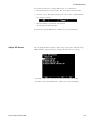
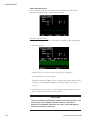
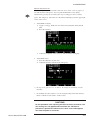
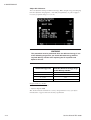
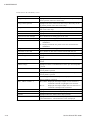
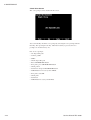
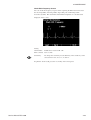
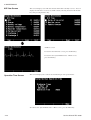
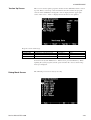
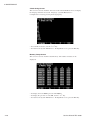
Check items in the Check Key screen
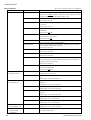
Part Name
Pacing Rate Up/Down
Description
Highlighted when the PACING RATE Up or Down key on the top
panel is pressed. (TEC-5531 series only).
Pacing Current Up/Down
Highlighted when the PACING OUTPUT Up or Down key on the
top panel is pressed. (TEC-5531 series only).
Pacing Start
Highlighted when the START/STOP key on the top panel is pressed
(TEC-5531 series only).
Record
Highlighted when the record key is pressed.
Event
Highlighted when the event key is pressed.
Paper Exit or Out of Paper
Shows whether the recording paper is set or not.
Battery or No Battery
Shows whether the battery pack is installed or not.
AC
AC: Displayed when the AC power cord is connected to the
defibrillator
DC: Displayed when the AC power cord is not connected to the
defibrillator.
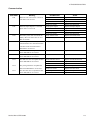
SetUp
Shows the status of the Energy/Mode Select control.
Card exist or No Card
Shows whether an SD card is inserted into the SD card slot.
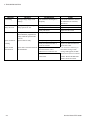
Panel Sync
Highlighted when the SYNC button on the front panel is pressed.
Panel Charge
Highlighted when the CHARGE/AED button on the front panel is
pressed.
Panel Discharge
Highlighted when the DISCHARGE button on the front panel is
pressed.
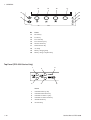
Paddle Charge
Highlighted when the CHARGE button on the apex external paddle
is pressed.
Paddle Dis L
Highlighted when the left DISCHARGE button on the sternum
external paddle is pressed.
Paddle Dis R
Highlighted when the right DISCHARGE button on the apex
external paddle is pressed.
External
Shows the type of the connected paddle. Displays "No Connect"
when no paddle is connected.
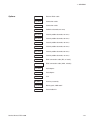
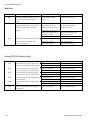
DSI 1, DSI 2 or DSI 1 2
DSI 1, DSI 2: Displayed when SpO2 adapter or CO2 sensor kit is
connected to the left or right SpO2/CO2 connector.
DSI 1 2:
Displayed when SpO2 adapter and CO2 sensor kit are
connected to the SpO2/CO2 connectors.
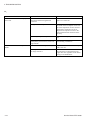
Leads
Highlighted when the ECG lead key is pressed.
Sens
Highlighted when the ECG sensitivity key is pressed.
Suspend
Highlighted when the Silence alarms key is pressed.
Alarm
Highlighted when the Multi-function key is pressed, then the
System Maintenance - Check Hardware screen is displayed.
4.18
Service Manual TEC-5500