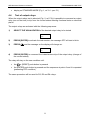
1
SEB Divisione Elettronica e Sistemi
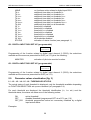
NONE
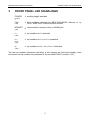
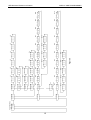
TA I>
TA I>>
TA I>>>
TA Io>
TA Io>>
TA Io>>>
TA ALL
OF I>
OF I>>
OF I>>>
OF Io>
OF Io>>
OF Io>>>
OF ALL
STATUS
DISPLAY AND PROGRAMMING
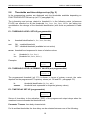
no functions active related to digital input DIG1
additional time delay on threshold I>
additional time delay on threshold I>>
additional time delay on threshold I>>>
additional time delay on threshold Io>
additional time delay on threshold Io>>
additional time delay on threshold Io>>>
additional time delay on all thresholds
threshold I> disabled
threshold I>> disabled
threshold I>>> disabled
threshold Io> disabled
threshold Io>> disabled
threshold Io>>> disabled
all thresholds disabled
activation of status function (see paragraph 1.)
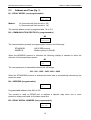
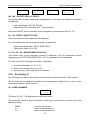
G2 - DIGITAL INPUT DIG2 SET-UP (programmable)
DIG2 cc
xxxxxxxx
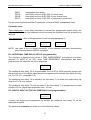
Programming of the function related to digital input channel 2 (DIG2); the selections
available are the same as presented for DIG1 (ref. G1) plus the following:
MONITOR
activation of pilot wire monitor function.
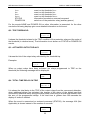
G3 - DIGITAL INPUT DIG3 SET-UP (programmable)
DIG3 cc
xxxxxxxx
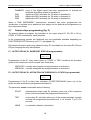
Programming of the function related to digital input channel 3 (DIG3); the selections
available are the same as presented for DIG1 (ref. G1).
5.9
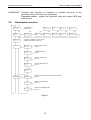
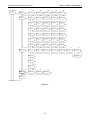
Parameter values visualization (fig. 3)
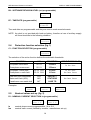
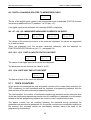
L1 - L2 - L3 - L4 - L5 - L6 - THRESHOLDS STATUS
The actual status of each threshold is displayed; only the thresholds available depending
on FUNCTION SELECTION set-up are visualized (ref. paragraph 5.4).
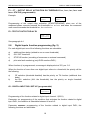
For each threshold are displayed the threshold identification (I>, I>> etc.) and the
threshold status; the status can show one of the following values:
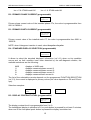
ON
OFF
OFF_DIG
active threshold
disabled threshold (programmed OFF at ref. E1, par. 5.6)
threshold programmed active but momentary disabled by a digital
input actual status.
Examples:
20