1
2.2
For MacOS users
1 - Install Xcode developer tools (at least version 5.0.1) from Apple Store (it is free).
2 - Install XQuartz-2.7.5.dmg from http://xquartz.macosforge.org/landing/
3 - Install GTK 2.24.17 X11.pkg from http://r.research.att.com .
4 - Then, go to Section 3.
2.3
For Windows users
1 - download gtk+-bundle 2.22.1-20101229 win64.zip from
http://ftp.gnome.org/pub/gnome/binaries/win64/gtk+/2.22/ .
2 - This is a bundle containing the GTK+ stack and its dependencies for Windows.
To use it, create some empty folder like C : \opt\gtk .
3 - Unzip this bundle.
4 - Now, you have to add the bin folder to your PATH variable. Make sure you
have no other versions of GTK+ in PATH variable. To do this, execute the following instructions: Open Control Panel, click on System and Security, click
on System, click on Advanced System Settings, click on click on Environment
Variables. In the Environment Variables window you will notice two columns
User variables for a user name and System variables. Change the PATH variable in the System variables to be C : \opt\gtk\bin .
5 - Then, go to Section 3.
3
Installation of R and the required R-packages
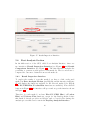
1 - Install R-3.0.2 from http://cran.r-project.org/ according to your operating system.
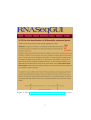
2 - Download RNASeqGUI package from http://bioinfo.na.iac.cnr.it/RNASeqGUI/Download.
For Windows operating system, download the zip binary file. For MacOS and
Linux download the tar.gz file.
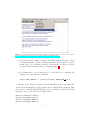
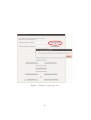
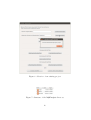
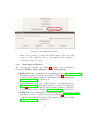
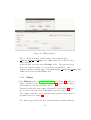
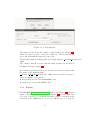
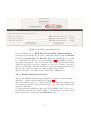
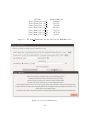
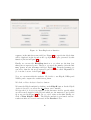
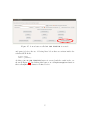
• For Windows users: select “Install packages(s) from local zip files”,
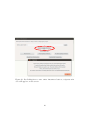
under the “Packages” pull-down menu, as in the Figure 2.
8