1
Functions
6.10 Quick Stop function
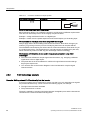
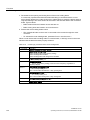
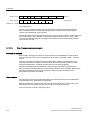
The drive data sets are switched over using parameters P0820 and P0821. Parameters
P0820 and P0821 are interlinked to control commands, e.g. the digital inputs of the inverter,
using BICO technology.
Note
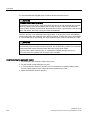
Drive data sets can only be changed over in the "ready for operation" state. The switchover
time is approx. 50 ms.
Exceptions: The ramp-function generator parameters, the ramp-down time for OFF3, and the
speed controller gain can be switched during operation.
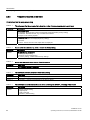
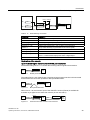
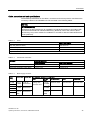
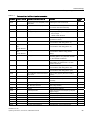
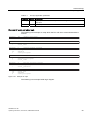
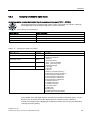
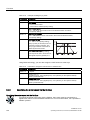
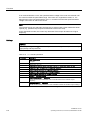
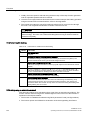
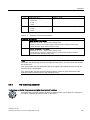
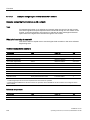
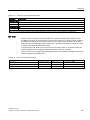
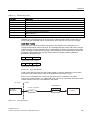
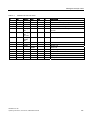
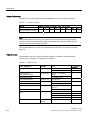
Table 6- 50
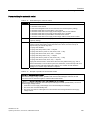
Parameters for switching the drive data sets:
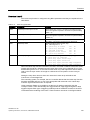
Parameter
Description
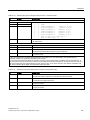
P0820 = …
1st control command for switching the drive data sets
Example: When P0820 = 722.0, the system switches from drive data set 0 to drive
data set 1 via digital input 0
P0821 = …
2nd control command for switching the drive data sets
r0051
Displaying the number of the DDS that is currently active
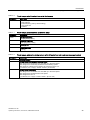
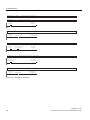
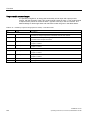
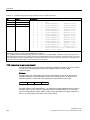
A copy function is available making it easier to commission more than one drive data set:
P0819.0 = …
Number of the drive data set to be copied (source)
P0819.1 = …
Number of the drive data to which the data is to be copied (target)
P0819.2 = 1
Start copying
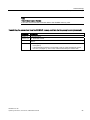
For an overview of all the parameters that belong to the drive data sets and can be switched,
see the List Manual.
6.10
Quick Stop function
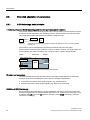
Overview
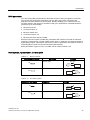
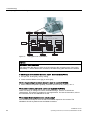
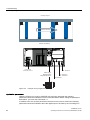
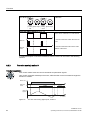
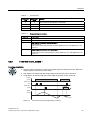
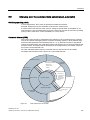
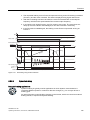
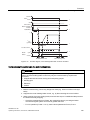
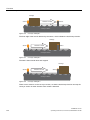
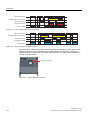
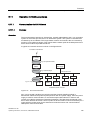
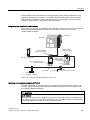
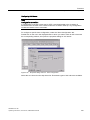
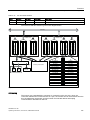
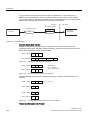
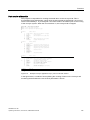
The Quick Stop function enables a load on a conveyor system to be detected and if Quick
Stop is enabled, stop the load on the conveyor section.
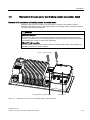
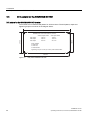
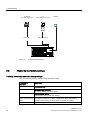
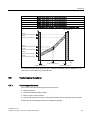
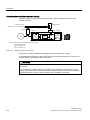
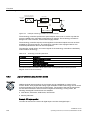
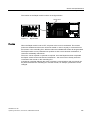
The load on the conveyor section moves towards a dedicated sensor, as shown in the figure
below.
SINAMICS G110D
Operating Instructions, 2010-20-06, A5E02385577A2 AB
141