Transcript
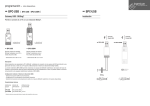
ingenium www.ingeniumsl.com bus devices · BPC-USB [ BPC-USB · BPC-USBW ] Gateway USB - BUSing® · BPC-USB Installation www.ingeniumsl.com ingenium · BPC-USBW ingenium · BPC-USB www.ingeniumsl.com Allows connection of a PC with a BUSing® installation. USB Port Connection 6 BPC-USB 6 BPC-USB · BPC-USBW Connects wired BUS devices to the PC with the USB Port. Connects wireless BUS devices to the PC with the USB Port. • Size: 65x25x5mm • Size: 88x25x5mm USB Port Connection á BPC-USBW Description These devices are PC to BUSing® gateways, they make the connection with BUS devices allowing their programming by a PC (USB port) using the BUSing ® Development System (SIDE or SIDE Kits). The BPC-USBW wireless version, allows you to connect with BUSing® wireless devices. There are up to 13 channels of radio communication to avoid interference from one installation to another. It is possible to change the communication channel of the wireless devices using the BPC-USBW. Configuration using Development System (SIDE) • Select the COM port communications. • Setting the communication speed (baud). • Channel selection radio communications for wireless BUSing® (13 channels available). Technical Characteristics Device Reference Voltage Supply Max. Recommended Distance BPC-USB BPC-USBW By USB port By USB port – 15m* * maximum recommended distance to closest radio device (repeater) A B inalmbrico wireless Cable 4x0.5mm