1
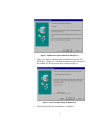
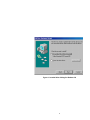
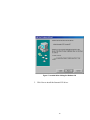
Figure 8. Finish Dialog for Windows 98
6.
Click Finish and the driver installation is completed as shown in
figure 8.
3.3 Hardware Configuration (Windows 95/98)
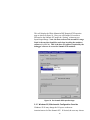
Windows 95/98 will configure the card automatically. The Windows
95/98 PCI drivers will select an available I/O space and update the
Device Manager and Windows Registry. After the card is configured
the Device Manager can be checked to see which I/O space was
assigned to the Summit-ICE card.
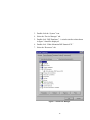
To use the Device Manager in Windows 95/98 do the following:
1. Click on the “Start” button.
2. Select “Settings” then “Control Panel.”
11