1
22
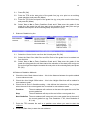
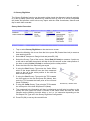
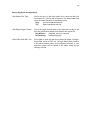
Profile Job Data Files Setup Procedure
1.
Create a Profiles folder on the memory card under the data folder
for the Data File Type set in RefSet (ie: for str and dxf files under
the Data folder and for gsi files under the GSI folder)
2.
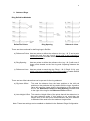
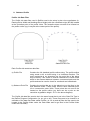
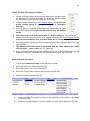
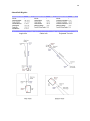
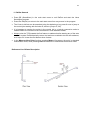
Create a profile outline string (see diagram above) and ensure the
profile outline string is a closed string in a clockwise
direction
3.
Use this string to create the Profile File in the same Data File Type
set in RefSet and ensure that this file contains only the outline
string
4.
The Profile File needs to be named with a ‘_profile’ suffix (eg: 5x5_profile.gsi)
5.
Create the profile stakeout points to be staked out on the face (see diagram above)
and ensure these points have individual point id’s in consecutive order
6.
Use these points to create the Profile Stakeout Point File in the same Data File Type
set in RefSet
7.
The Stakeout Point File needs to be named with the same name as the Profile
File but with a ‘_stake’ suffix (eg: 5x5_stake.gsi)
8.
Copy both the Profile File and the Stakeout Point File to the Profiles folder on the
memory card (Note: These two files will represent one Profile Job in RefSet)
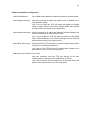
Stakeout Profile Procedure
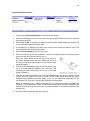
1.
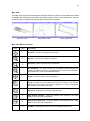
Tap or select Stakeout Profile on the start menu screen
2.
Select the method to Define Centreline By
3.
Select the Control Job to use from the list
4.
Select the Profile Job to use from the list and press F1 (OK)
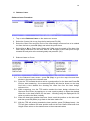
5.
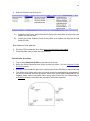
Stakeout Profile Centreline by Line
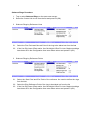
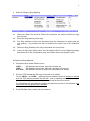
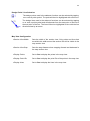
5.1. Select the Start Point and End Point of the centreline of the profile to be staked
out from the lists
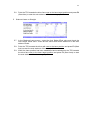
5.2. Select the Profile Stakeout Point to be staked out from the list and press F1 (OK)