1
User Manual
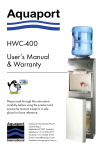
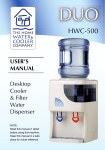
Mini Cooler
AWB-MCR
AWB-MHC
Please read this manual carefully before using the machine
Ensure the manual is kept in a safe place for future reference
User Manual
Identification .........................................................1
Attention...............................................................2
Operating Steps ...................................................3
Technical Parameters ...........................................3
Cleaning ...............................................................4
Warranty Card ......................................................5
User Manual
Mini Cooler
No
1
2
3
4
5
6
7
Identification
AWB-MCR
PART NAME
Bottle Supporter
Upper Cover
PCB Shell
Protect Key-Press
Right Key-Press
Left Key-Press
Front Carapace
AWB-MHC
No
PART NAME
8
Drip Tray
9
Filter Cover
10
Refrigeration Switch
11
Hot Water Switch
12
Exhalist Meatus
13
Back Carapace
14 Extra Ring for Larger Bottles
NOTE:
This machine is suitable for bottles of 1/2 litre to 12 litres and use of
filtered or spring water.
This units operating temperature is from 10˚C-38˚C with relative humidity
not higher than 90%.
CAUTION:
We adopt special airway design at the bottom of water dispenser. Don’t
block the airway or put the water dispenser on anything that touches
against it’s venting, such as carpet or a towel, or the refrigeration
capacity will decline.
1
User Manual
Attention
1. Keep this machine in a vertical position on a dry surface and place
away from direct sunlight. The rear of the machine should be at least
25cm from the wall or solid object. Never put the machine on paper
or foam, which could result in an unstable condition. Never put anything flammable beside the machine.
2. Don’t plug in the power cord or turn on the heating switch until water
runs out of the hot water tap (if applicable). Otherwise the machine
could be damaged.
3. The machine must be located out of reach of young children.
4. In the case where the machine is not being used for a few days, turn
off the cooling & heating switches in order to save energy.
5. In the case where the machine is not being used for a long period,
unplug the power cord and drain the water from the tanks using the
water outlet.
6. The machine must be connected to an earthed wall socket with a
reliable creepage protection switch.
7. Clean the outside of the machine by wiping it with a clean dry cloth.
Never use harsh abrasive cleaners or organic solvents on any part of
the machine. Never disassemble or touch the inside structure of the
machine.
8. Never pull out or plug in the unit to an ON wall power socket, always
use the on/off switch on the machines control panel.
9. Regularly clean inside the tanks according to the cleaning
instructions.
10.Never operate the a machine that has a damaged power cord. Return
the machine to the nearest authorised service facility for repair. Do
not try to repair the machine by yourself.
11.The A-weighted sound pressure level is below 70db.
2
User Manual
Operating Steps
1. Tear the label from the bottle
2. Vertically insert the bottle into the bottle supporter on
top of the machine. Don’t plug in the power cord or
turn on the heating switch until water runs from the hot
water tap.
3. Insert the plug into the wall socket, then turn the power
switch ON.
4. Vertically pull out the water bottle with two hands when
the bottle is empty, and replace it with another bottle, or
refill your bottle.
If you want to use a larger spring water bottle, remove
the original grey neck attachment and attach (optional
extra AWB-NEC, sold separately) for use with all bottles
from 2 - 20 litres including springwater company
bottles.
Technical Details
Model
AWB-MCR
AWB-MHC
Power
Supply
Water Capacity
Fixed Power
Net
Hot
Cold Heating Refrigeration Weight
4 Lph .7 Lph
5Kg
420W
70W
240V/50Hz
>85˚C >15˚C
Overall
Dimensions
l 293 x w 270
x h 310mm
3
User Manual
Cleaning
Switch off the power supply and unplug the power cord from the
wall socket before following the instructions below.
Cleaning & Draining:
1. The machine was disinfected before departing from the factory.
Cleaning the dispenser prior to installing a full bottle of water for the
first time, is required.
2. Before cleaning, make sure the power switch is off and the cord is
unplugged.
• Vertically insert the bottle into the supporter on top of the machine.
• Open the taps, let about 1 litre of water flow out into a container.
• Remove the water bottle from the dispenser.
• Place a large bucket beneath the drain outlet. Remove the drain
cover and allow water to drain.
• After draining, replace the drain cover.
Attention:
The machine heats water to a temperature of approximately 90˚C, it
can cause severe burns. Please operate the machine carefully.
Sanitation:
The machine should be sanitized with disinfectant commonly bought
from a supermarket. Follow the instructions outlined for use of the
disinfectant and thoughly flush the machine as per the cleaning and
draining instructions above, after disinfection. Generally this should
be done every 3 months.
To Remove Mineral Deposits:
Mix 4 litres of water with 200g citric acid crystals, pour into machine
and make sure the water can flow out of the hot tap. Switch on the
power and heat for about 10 minutes. 30 minutes later, drain off the
liquid and clean the machine with water 2 to 3 times. Generally this
should be done every 3 months. Never disassemble the machine by
yourself to avoid damaging the machine.
4
User Manual
Warranty
Your Aquawell 6 month replacement warranty (3 month commercial use)
and water chiller warranty registration. Aquawell warrants this appliance
to the first purchaser as follows and subject to the stated conditions:
Any defect in the appliance occurring with in the first 6 months from the
date of purchase (3 month commercial use) will be replaced or repaired
at our discretion.
Conditions of this Warranty:
1. This appliance must be installed in accordance with the User’s
Manual.
2. The Warranty extends only to repairing or replacing any component
that proves to be defective in material or workmanship.
3. The Warranty does not cover defects occasioned by misuse,
alterations or accident.
4. In the unlikely event of malfunction of our product please phone
our customer service line for advice on +61 8 8354 2488 outside
Australia, or 08 8354 2488 in Australia.
Thank you for your custom and we hope our product provides many
years of fault free operation. To enable us to register your warranty
and provide service should a problem occur, we recommend you fill
out the section below and return it to us immediately.
Aquawell Warranty & Registration Card
commercial use domestic use
Name .....................................................................................
Address .................................................................................
Telephone ................................ (mob) .................................
Email .....................................................................................
Country............................................... Postcode .................
Model ............................ Serial Number ..............................
Purchase Date ......../......./........ Purchased From...............
................................................................................................
Do you authorise
Siena Foods to send
future promotional
material and special
offers via the supplied
email address?
YES I DO (Please Tick)
Cut out and send your
registration to:
Siena Foods Pty Limited
77 - 79 Orsmond Street
Hindmarsh SA 5007
Siena Foods Pty Limited
77 - 79 Orsmond Street
Hindmarsh SA 5007
Ph - +61 8 8346 9478
Fax - +61 8 8346 9181
Web - www.aquawell.com.au
Email - wellbeing@aquawell.com.au