1
enter:
2.
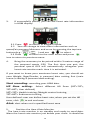
Press
button to enter and choose a planned
route to enter path guide interface:
3.
You can select
or
to move forward or backward
for navigation.
If you have exited Path guide, you can press “navigation
information” to re-enter.
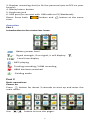
You can change to view other information such as air
pressure/altitude/distance and so on by pressing the top
two buttons as
/
and use
/
to select.
4.
5.
Note:
1. Maximum 50 RTE routes can be planned with each route
maximum 50 waypoints.
No limitations for KML/GPX files.
2. Default file names are PLN0000.RTE /KML0000.KML/
GPX0000.GPX respectively.
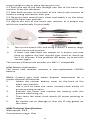
3. Forward navigation: Select
mode, the destination will
be the red waypoint,and
icon will be displayed at the
status bar.
Backward navigation: Select
mode, the destination will
be the green waypoint, and
icon will be displayed at the
status bar.
4. If current position is within 50 meters from destination, it
will switch to the next waypoint automatically.
5. Supported file format: RTE, KML, GPX.
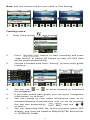
6. You can download KML files to the personal sports GPS
directly, and it will be saved as KML/GPX format files to the
7