1
FASTtag
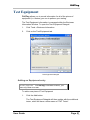
Adding new Test Equipment
2.
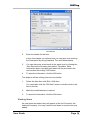
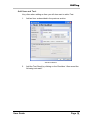
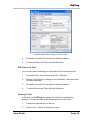
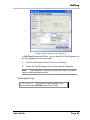
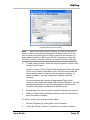
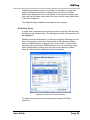
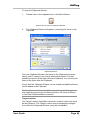
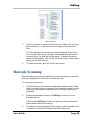
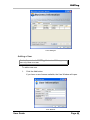
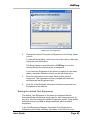
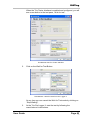
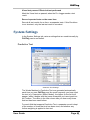
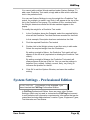
Change the name of the piece of Equipment in the Equip. Name
column.
To edit the Equip Name, click in the cell in the column, then start
typing the new information.
The Equip Name is used internally in FASTtag, so you can
quickly identify the required piece of equipment.
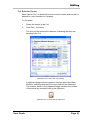
If you want this Equipment to be shown by default on new tests
added, check the Checkbox shown on the left of the entry.
3.
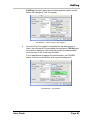
Enter the information for the other fields for this piece of
equipment. This information will be recorded with each test
performed by that Equipment item.
4.
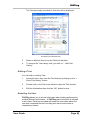
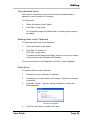
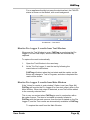
Click OK in the Business Information Window to save the new
Equipment to the data file.
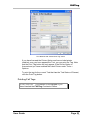
Setting the default Test Equipment
The default Test Equipment is the piece of equipment that will
automatically be recorded as being used for each test performed. At
any time, you can change the default Equipment, and all Tests added
thereafter will be recorded as being performed with the default
Equipment.
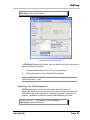
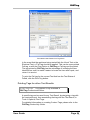
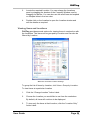
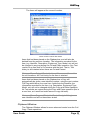
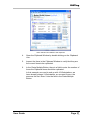
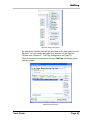
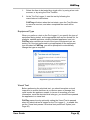
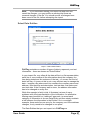
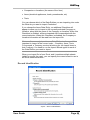
In the Test Equipment Datagrid, the default Test Equipment is
indicated by the ticked (checked) Checkbox on the left of the row.
User Guide
Page 52
v3.3
P:\faxes\FASTtagDocumentPrep\UserGuide.doc