1
Vitrinite Reflectance data
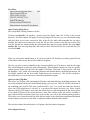
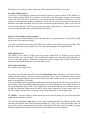
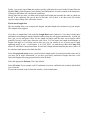
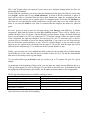
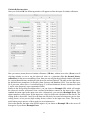
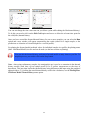
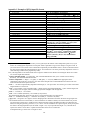
Once you click on OK, the following window will appear to allow the input of vitrinite reflectance.
Here you enter a (mean) observed vitrinite reflectance (VR obs), with an error value, (Error) as well
selecting whether or not to use the observed value as a constraint (Use for thermal history
calibration) for the inverse modelling (if not, then you can still plot the predicted vitrinite reflectance
for various thermal history models once the inversion run has finished). The table on the right shows
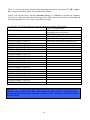
the default kinetic parameters, for EasyRo (from Sweeney and Burnham,1990). You can enter up to
20 of your own values (Eact = Activation Energy, F is the stoichiometric factors, which need to total
1, and A is the frequency or pre-exponential factor).
Similar to the He age data description above, you can choose to Resample VR, which will sample
the observed vitrinite reflectance from a normal distribution centred on the input value, with a
standard deviation equal to the input error value. Alternatively, you can select Resample Error. This
option samples a scaling factor for the input error, which is used in the calculation of the data fit. The
scaling factor is between 0.1 and 10 so the data can effectively be treated as being more precise (low
scaling factor) or less precise (high scaling factor), relative to the input error value. This may be
useful when you are not sure of how good you error estimates are.
Note in the datafile, the input value will be negative if you choose to Resample VR or the error will
be negative if you choose Resample Error
15