1
ACCESS DRAFT MESSAGES
Draft messages are automatically saved when you exit the message
application without having sent the message. If you have any messages
in Draft status they are marked in red with Draft
DELETE MESSAGES
• Tap Options > Select item(s) to select 1 or more messages to delete.
• If you are in the thread view (all messages) then selecting the thread
will delete all the messages.
• If you are in the Message view, long press on the individual message to
discard.
• Select the messages to delete.
• Tap > OK.
MESSAGE SETTINGS
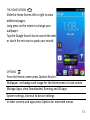
Tap Messages > Options > Settings to configure message settings such
as your Default Message App, SMS Settings, MMS Settings,
Notifications settings, Signature settings, SMS centre number etc.
40