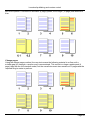
1
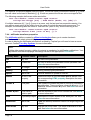
User Guide Using a hyphenation exception dictionary To use a hyphenation exception dictionary you must: 1. Create an exceptions dictionary file; 2. Enable Use Hyphenation Dictionary from the Format » Options dialog; 3. Load the exceptions list using the <dictionary/> directive. Exception dictionary file format An exception dictionary file is a text file created using either UTF-8 or UTF-16 character encoding. The first two or three characters are examined to see if a byte order mark character (U+FEFF) is present. If so, this is used to determine the encoding. The byte order mark is not treated as part of the data. If no byte order mark is found UTF-8 is assumed. The dictionary file declares one or more hyphenation word definitions, entered on separate lines terminated by a recognized line break. A hyphenation word definition specifies the permitted hyphenation points for a single word. Hyphenation points are identified using either a hard hyphen (Unicode code point U+002D) or a soft hyphen (Unicode code point U+00AD), as shown in the following examples: pre-car-iously pol-y-mor-phic mis-place mis-placed pre-ce-dent Restrictions Entries within an exception dictionary: • have a maximum length of 255 characters; • are case insensitive; • can be entered in any order; • can include XML character references to refer to specific Unicode code point values; • cannot include white space characters. Word definitions should not include any punctuation characters (other than hyphens). 3.7 Bidirectional processing TopLeaf supports top-to-bottom bidirectional typesetting, allowing the mixture of LTR (left-to-right) and RTL (right-to-left) content without disrupting line breaks or causing punctuation problems. For example, European languages are normally rendered left-to-right, whereas Arabic and Hebrew content is rendered from right-to-left. Bidirectional processing occurs within distinct presentational layers at the document, block, paragraph, contextual, and character level. 3.7.1 Document directionality In TopLeaf the whole document has a directionality that controls the placement of fixed blocks and the way the book is bound. The document directionality is responsible for the selection of left and right page layouts, and in a multi-column page layout the order in which the data block columns are filled. The document directionality is determined from the language associated with the document root element. The default document language is declared as a publication formatting option. This can be overridden by the language set by the xml:lang attribute or through the <text-properties lang="LA" /> directive. Page 30