1
Page 20
CR:110A doseBadge User Manual
The Criterion Level is programmed into the doseBadge when it is Reset by the Reader
Reset key.
Threshold Setting (TH)
RC:110A Main Menu
Time History Control
Criterion Time
Criterion Level
Threshold Level
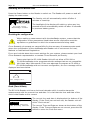
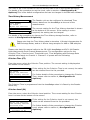
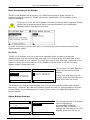
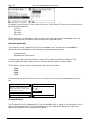
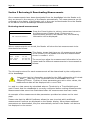
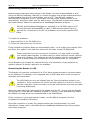
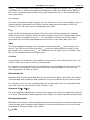
From the menu, select the Threshold Level position. The
current setting for the Threshold Level is shown at the
bottom of the screen. If the setting for the Threshold Level
is not correct, the value can be selected from the list
provided.
Currently None
For further details of the procedure to change the Threshold Level, please refer to
section 4, AConfiguration & Options@.
The Threshold Level is programmed into the doseBadge when it is Reset by the Reader
Reset key.
Time Weighting Setting (TW)
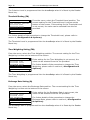
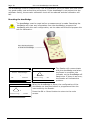
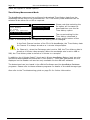
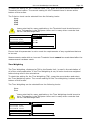
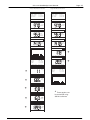
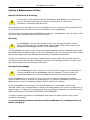
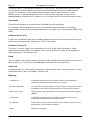
From the menu, select the Time Weighting position. The current setting for the Time
Weighting is shown at the bottom of the screen.
RC:110A Main Menu
Criterion Time
Criterion Level
Threshold Level
Time Weighting
Currently None
If the setting for the Time Weighting is not correct, the
value can be selected from the list provided.
For further details of the procedure to change the Time
Weighting, please refer to section 4, AConfiguration &
Options@.
The Time Weighting is programmed into the doseBadge when it is Reset by the Reader
Reset key.
Exchange Rate Setting (Q)
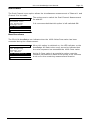
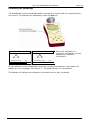
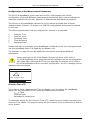
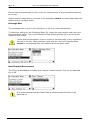
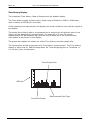
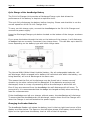
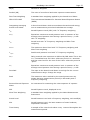
From the menu, select the Exchange Rate position. The current setting for the Time
Weighting is shown at the bottom of the screen.
RC:110A Main Menu
Criterion Level
Treshold Level
Time Weighting
Exchange Rate
Currently 3dB (Q=3)
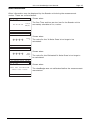
If the setting for the Exchange Rate is not correct, the
value can be selected from the list provided.
For further details of the procedure to change the
Exchange Rate, please refer to section 4, AConfiguration
& Options@.
The Exchange Rate is programmed into the doseBadge when it is Reset by the Reader
Reset key.