1
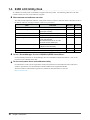
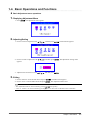
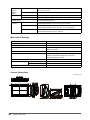
1-2. Controls and Functions Adjustment menu (ScreenManager*1) 1. Auto EcoView sensor 2. button 3. button button 4. 5. 6. button button Detects ambient brightness. Auto EcoView function (page 33). Displays the setting menu of the power saving function (Auto EcoView and EcoView Index) (page 33). Switches input signals for display (page 35). Displays the Adjustment menu, determines an item on the menu screen, and saves values adjusted (page 11). • Chooses and increases/decreases adjustment settings for advanced adjustment using the Adjustment menu. • button ( ): Changes FineContrast mode (page 19). button ( ): • Displays the Brightness and Volume adjustment menu (page 20, page 27). Turns the power on or off. Indicates the monitor’s operation status. 7. Power indicator Blue: Operating Orange: Power saving mode OFF: Main power/Power off 8. Main power switch Turns the main power on or off. 9. Power connector Connects the power cord. 10. USB port (UP) Connects a USB cable when this product is used as a touch panel monitor. 11. Stereo mini jack Connects the stereo mini jack cable. 12. Input signal connector Top: D-Sub mini 15-pin connector / Center: DVI-D connector / Bottom: HDMI connector 13. Headphone jack Connects the headphones. 14. Security lock slot Complies with Kensington’s MicroSaver security system. 15. Stand *2, 3 16. Speaker *1 Used to adjust the angle of the monitor screen. Outputs audio source. ScreenManager is an EIZO’s nickname of the Adjustment menu. See page 11 for how to use. See “Stand installation” (page 9) for installation. *3 An optional arm (or an optional stand) can be attached by removing the stand (see “7-1. How to Attach the Optional Arm” (page 41)). *2 8 Chapter 1 Introduction