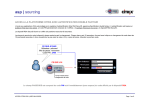
7. Enter the token code received in the email to the following screen. 8. Once the token is authenticated successfully, your normal SRAS home page will be displayed. MRU Secure Remote Access Service (SRAS) External User Guide rev 03
Jv8.0 23 Jul 2014
15