1
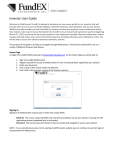
INVESTOR USER GUIDE E-DELIVERY ENROLMENT SETUP Next, you will be prompted to select your FundEX statement delivery preference. Upon making your selection, you will either be presented with the e-Delivery enrollment screen or continue to WebConnect. If you wish to enroll in e-Delivery, follow the on-screen instructions. You may modify your statement delivery preference at anytime in WebConnect, under My ProfilePreferences. WEBCONNECT NAVIGATION Once logged into WebCONNECT, navigating the site is easy. The website contains 4 main sections: • Home • Account Details • My Profile • Documents The Home and Account Details tabs contain information about your account holdings at FundEX. June 2013 4|P a g e