1
Chapter 1: Overview
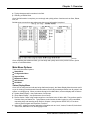
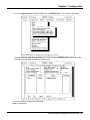
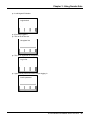
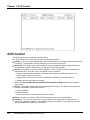
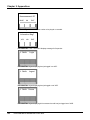
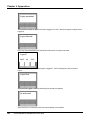
System Maintenance Menu
This menu allows you to manage the data stored in the database.
There are 7 System Maintenance operations:
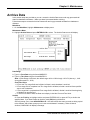
◗ Archive Data - copies current database records to floppy disks for backup or later restoration.
◗ Archive and Purge Data - copies current database records to floppy disks and deletes the original
records from the database.
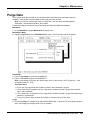
◗ Purge Data - deletes records from the database for a specified time period.
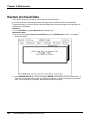
◗ Restore Archived Data - copies previously archived data from floppy disks back into the database on
the Applications Module.
◗ Export Data - creates export files containing quote-delimited fields separated by commas from ACD
databases. Export data contains ACD Call Data based on the ACD Call, Agent, Busy, and Category
reporting information.
◗ Recorded Calls - displays the Agent ID, call #, date, and time of each recorded call and allows you to
delete the recorded call.
◗ Data Management Parameters - automatically processes and purges call data on a daily basis and
allows you to set a data storage period for historical call data.
Refer to Chapter 6, Maintenance for directions to perform these operations.
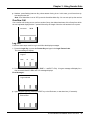
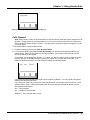
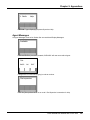
ACD Control
This menu allows you to perform the following operations:
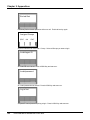
◗ Activate - select this operation to restart Call Processing after it has been deactivated. When selected,
the Main Menu will display and you can continue to use ACD.
◗ Deactivate - select this operation to stop Call Processing so you can execute an Add-On install,
Upgrade install, Update install, or shut the system down.
◗ Execute - after you have selected Deactivate, you can select this operation to install an Add-On,
Upgrade, or Update. When completed with the install, Call Processing will automatically be activated.
◗ Off-Line - select this operation to start ACD without starting Call Processing. You can perform the
following without being connected to the KSU: Configure, Generate Reports, Modify Scheduler, and
perform any function not requiring active Call Processing.
◗ Return - select this option to exit the ACD Control screen and return to the Main Menu.
◗ Shutdown - select this operation to stop all running programs on the system and power off the
Application Module. A Shutdown would be necessary, for example, if you wanted to move the
Applications Module to a different location or install a DVC or MS-BIC.
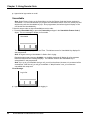
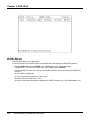
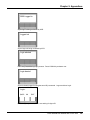
DOS-Shell
Enables you to exit ACD but continue Call Processing activity. When you select this option, the
CINPHONY DOS prompt will display - C:\CINPHONY>. To return to the ACD Control screen, you will need
to type in the word EXIT at this prompt and press ENTER.
Norstar PRELUDE and CINPHONY ACD 3.6 User Guide
13