1
P74342ea_F1DWXXXC_man.qxd
28-10-2003
11:57
Page 4
TABLE OF CONTENTS
Introduction . . . . . . . . . . . . . . . . . . . . . . . . . . . . . . . . . . . . . . . . 1
Package Contents . . . . . . . . . . . . . . . . . . . . . . . . . . . . . . . . . . 2
Overview . . . . . . . . . . . . . . . . . . . . . . . . . . . . . . . . . . . . . . . . . . . 3
Feature Overview . . . . . . . . . . . . . . . . . . . . . . . . . . . . . . . . . . . 3
Equipment Requirements . . . . . . . . . . . . . . . . . . . . . . . . . . . . . . 5
Operating Systems . . . . . . . . . . . . . . . . . . . . . . . . . . . . . . . . . . 5
Product Specifications . . . . . . . . . . . . . . . . . . . . . . . . . . . . . . . 6
Unit Display Diagrams . . . . . . . . . . . . . . . . . . . . . . . . . . . . . . . .7
Installation . . . . . . . . . . . . . . . . . . . . . . . . . . . . . . . . . . . . . . . . . 9
Pre-Configuration . . . . . . . . . . . . . . . . . . . . . . . . . . . . . . . . . . 9
Standalone Switch Installation . . . . . . . . . . . . . . . . . . . . . . . . . 10
Connecting Multiple Switches (Daisy-Chaining) . . . . . . . . . . . . . . .12
DIP Switch Configuration Chart . . . . . . . . . . . . . . . . . . . . . . . . .13
Powering Up the Systems . . . . . . . . . . . . . . . . . . . . . . . . . . . . .16
Using Your Switch . . . . . . . . . . . . . . . . . . . . . . . . . . . . . . . . . . . 17
Selecting a Computer Using Direct-Access Port Selectors . . . . . . . . 17
Selecting a Computer Using Keyboard Hot Key Commands . . . . . . . . 19
AutoScan Mode . . . . . . . . . . . . . . . . . . . . . . . . . . . . . . . . . . . 20
IntelliView Graphical On-Screen Display Menu Control . . . . . . . . . . .21
The AutoUpdate™ Firmware Update Utility . . . . . . . . . . . . . . . . . .33
INTRODUCTION
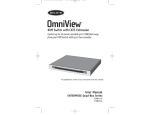
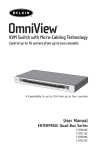
Congratulations on your purchase of this Belkin OmniView ENTERPRISE Quad-Bus
Series KVM Switch with CAT5 Extension (the Switch). Our diverse line of KVM
solutions exemplifies the Belkin commitment to delivering high-quality, durable
products at a competitive price. Designed to give you control over multiple
computers and servers from up to four consoles, the Switch comes in a variety of
capacities suitable for all configurations, large or small.
Belkin has designed and developed this Switch with the server administrator in
mind. The result is the OmniView ENTERPRISE Quad-Bus Series KVM Switch with CAT5
Extension, which surpasses any other switch on the market. Engineered to enhance
the most advanced server room and laboratory environments, The Switch offers:
• Operation at a distance of 1000 feet from the KVM Switch, using CAT5
extension technology
• Reduced cable clutter and bulk
• Quad-bus technology, for expanded control by up to four users
• Dual-console* support, expandable to four consoles
• IntelliView Graphical On-Screen Display
• PS/2 and USB mix-and-match keyboard and mouse support
• Multilevel security
• USB flash-upgrade capability
• Dedicated daisy-chain ports
• Server connection diagnostics
• Intuitive port indicators
• Direct-access port selectors
• Belkin 5-Year Warranty
Troubleshooting . . . . . . . . . . . . . . . . . . . . . . . . . . . . . . . . . . . . .41
Glossary . . . . . . . . . . . . . . . . . . . . . . . . . . . . . . . . . . . . . . . . . . .43
Information . . . . . . . . . . . . . . . . . . . . . . . . . . . . . . . . . . . . . . . .45
*Available on 2x16 model only
1