1
1. Make sure that the antenna has a clear view of
the sky in order to receive satellite signals.
2. Turn on the receiver and the TV set. For details
about the use of the receiver and the TV set,
please refer to the relevant user manuals
provided by the manufacturers.
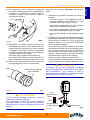
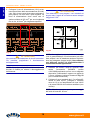
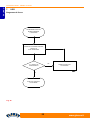
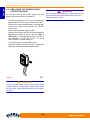
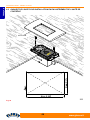
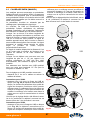
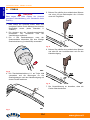
3. On the control unit, by means of the relevant
selector (A), select the desired satellite
(ASTRA2, ASTRA1, HOTBIRD).
4. Turn on the control unit (set (B) key to ON).
5. After a few seconds, the led (C) turns red, and
this means that the antenna is searching for the
signal.
6. If the antenna has found a satellite signal, the
led turns orange and starts checking that the
found satellite is the selected one. Verification
can take up to 30 seconds.
7. If, after a few seconds, the led turns green, it
means that the found satellite was the correct
one. Otherwise, the led turns red again, and the
procedure is restarted.
8. With green led, after a few seconds, the image
will appear on the TV set. Follow the
instructions appearing on the screen to set the
parameters for a correct operation of the
receiver.
ENGLISH
PANDORA V8000 - URANIA 2 V9330
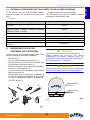
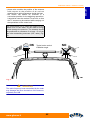
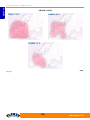
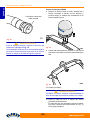
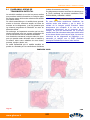
Fig. 29
A. Satellite selector
B. Power on key
C. Led
WARNING
S
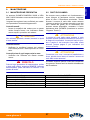
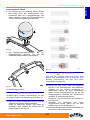
If the led flashes alternately red and green, this
means that the antenna is not connected or that a
failure has occurred. See section “Troubleshooting”
or contact the Service Centre.
www.glomex.it
57