1
POSITIP 880
Installation Instructions
Complete Operating Instructions available at www.heidenhain.de
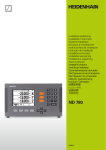
7. Operating elements
Front
Front (cont)
A
Color LCD screen
D
Numeric keypad: Enter numeric
data
B
Soft keys: Change to support
functions
E
Arrow keys: Navigation
C
Axis keys: Select axis
F
Power indicator light: LED is
illuminated when power is on
8. Initial power-up
To power-up the product:
XX
Press the On side (supply) of the power switch 1 to power-up the product. The startup
screen is displayed.
9. Maintenance
The maintenance procedures described in these instructions may be required
during installation of the product. For additional maintenance information, refer to
the POSITIP 880 Operating Instructions.
Cleaning
Warning! Risk of electrical shock
While cleaning it is possible to conduct electricity from hazardous live parts if
liquid enters the product.
To avoid the hazard, always power off the product, disconnect the power cable
and never use a cloth that is dripping or saturated with water.
Notice
Never use abrasive cleaners, strong detergents or solvents to avoid damage to
the product.
To clean:
XX
Verify that the power switch is in the off position.
XX
Disconnect the power cable from the source of power.
XX
Wipe exterior surfaces with a cloth dampened with water and a mild household
detergent.
Replacing a fuse
Warning! Risk of electrical shock
When replacing a fuse it is possible to touch hazardous live parts.
To avoid the hazard, always power off the product and disconnect the power
cable.
Notice
Use only replacement fuses meeting rated specifications to avoid damage to
the product.
To replace a fuse:
XX
Verify that the power switch is in the off position.
XX
Disconnect the power cable from the source of power.
XX
Press the fuse holder release until the retaining mechanism is disengaged.
XX
Remove the fuse holder and replace the fuse.
XX
Re-insert the fuse holder and gently press in until the retaining mechanism is engaged.
12