1
12 English
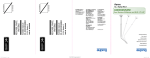
Default display
Customisation options
Description
What it does
Options
Sets a 24-hour or 12-hour
clock display.
24Hr, 12Hr
Sound Off
Sets whether the sunrise
is followed by an alarm
sound; see To choose an
alarm beep, page 9.
Off, On
Display Low
Sets whether the display
dims; see To set the display
brightness, page 10.
Lo, Off
To have a sunset without activating the sunrise
If you don’t need to be woken by the alarm, for example if the next day is a
weekend, you can still activate the sunset feature to help you go to sleep:
•
Press both - and + at the same time.
The light slowly starts to fade and the display shows:
This also dims the display to help you sleep.
To cancel the sunset and return to a normal display:
•
Press both - and + at the same time again.