1
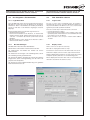
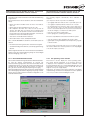
Dokumentation für FPS Flexibler Positions - Sensor und Auswerteelektronik FPS-A5 / FPS-F5 / FPS-F5 T Documentation for FPS flexible position sensor and processor electronics FPS-A5 / FPS-F5 / FPS-F5 T 4.Die Bedienung des FPS-F5 / FPS-F5 T mit Software / Fernwartungsfunktionalität 4.Operating the FPS-F5 / FPS-F5 T with software / remote maintenance functionality 4.1 4.1 Allgemeines General Die Software für das FPS besteht aus zwei Programmen: The FPS software comprises two programs: 1. Das Gateway Sobald das Gateway gestartet ist überwacht es den in der INIDatei gewählten seriellen Port (Com – Port) und ankommende Anfragen aus dem Internet. Die vom FPS-F5 kommenden Signale an dem COM-Port werden vom Gateway in das TCP/IP – Protokoll umgesetzt und stehen somit dem Netzwerk, an welchem der PC angeschlossen ist, zur Verfügung. Kommt eine Anfrage aus dem Internet prüft das Gateway (wenn in der INI-Datei gewählt) das Passwort ab und gibt die Verbindung zum FPS frei. Hierzu wird der Port 5000 – 5002 verwendet. Sind alle anderen Ports für Zugriffe gesperrt, so ist der PC damit gegen unerwünschte Zugriffe aus dem Netzwerk geschützt. 1. Gateway As soon as Gateway has been launched it monitors the serial port (com port) specified in the INI file and incoming queries from the internet. Signals coming into the COM-port from FPS-F5 are converted by Gateway into a TCP/IP protocol and are thus available for use by the network to which the PC is connected. When a query comes in from the internet, Gateway checks the password (if specified in the INI file) and permits connection to FPS. Port 5000 – 5002 is used for this purpose. If all other ports are blocked for access, the PC is thus protected against unwanted access from the network. 2. FPS controller The FPS controller visualises the FPS-F5 / FPS-F5T which is connected. It uses the DLL supplied. This means that all commands can also be linked into other software. It does not make any difference whether the connection occurs directly via the COM port, the internet or a modem. What is important, however, is that Gateway is started up first. 2. Der FPS-Controler Der FPS Controller visualisiert das angeschlossene FPS-F5 bzw. Das FPS-F5 T. Es baut auf der mitgelieferten DLL auf. Alle Befehle können also auch direkt in eine andere Software eingebunden werden. Hierbei ist es egal ob die Verbindung direkt über den COM-Port, das Internet oder ein Modem erfolgt. Wichtig ist lediglich, dass vorab das Gateway gestartet wurde. The software is the same for the FPS-F5 and FPS-F5 T. The difference between the two devices lies in the firmware only. Operation is not the same for both, however. It differs in how they are calibrated and programmed. Die Software für das FPS-F5 und das FPS-F5 T sind gleich. Der Unterschied der beiden Geräte liegt nur in der Firmware. Die Bedienung der Geräte unterscheidet sich jedoch. Die Unterschiede sind im Punkt Kalibrierung und Programmierung ersichtlich. 4.2 Die Initialisierungsdatei 4.2 Initialisation file 4.2.1Die Initialisierungsdatei für den FPS Controller 4.2.1 Initialisation file for the FPS controller In der Initialisierungsdatei befinden sich verschiedene Infor mationen, welche den Programmstart beeinflussen. Die Datei wird beim Programmstart einmal gelesen. Die meisten Einträge werden während der Programmlaufzeit geschrieben, um Ihnen bei einem Neustart die für Sie optimalen Einstellungen sofort zur Verfügung zu stellen. Alle voreingestellten Einträge treffen für fast jedes System zu. Bei Problemen nehmen Sie bitte Kontakt mit der Fa. SCHUNK auf. The initialisation file contains all sorts of information which can affect the program start up. The file is read once when the program is launched. Most of the inputs are written during program run time to give you the optimum settings immediately when restarting. All the default settings are valid for most systems. If you have any problems, please contact SCHUNK. 4.2.2Die Initialisierungsdatei für das Gateway 4.2.2 Gateway initialisation file In der Initialisierungsdatei befinden sich verschiedene Informationen, welche den Programmstart beeinflussen. Die Datei wird beim Programmstart einmal gelesen. Die meisten Einträge werden während der Programmlaufzeit geschrieben, um Ihnen bei einem Neustart die für Sie optimalen Einstellungen sofort zur Verfügung zu stellen. Bei Problemen nehmen Sie bitte Kontakt mit der Fa. SCHUNK auf. The initialisation file contains all sorts of information which can affect the program start up. The file is read once when the program is launched. Most of the inputs are written during program run time to give you the optimum settings immediately when restarting. If you have any problems, please contact SCHUNK. 10