1
POWER
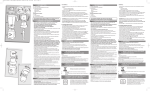
First thing’s first: give DECK a charge. Plug
the small end of the USB into the micro
USB port located on the side of DECK.
Then plug the large end into the included
AC adaptor and plug that into the wall outlet.
Your speaker needs power, so load it all
the way before you use it. It is fully charged
when the status light turns green.
Power
Status light
Charge
NOTES
For optimum block-rocking power, always use
the charger and cable included in this package.
3.5mm Line in
Turn off the speaker when you’re not using it.
3.5mm line out
CAUTION
This battery is designed to last the life of your device. So
you don’t need to take it out or mess with it. If you try to
remove or replace your battery it will void your warranty
and could cause injury and damage your device.
Selector Switch
If you suspect battery trouble, see “Trouble” section.
6
EN
USER GUIDE
POWER
7