1
3
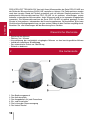
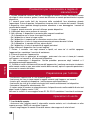
Specification
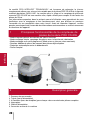
Counting Speed – Medium (coins per minute).................................................................~200
Hopper Capacity – Medium (coins) ..................................................................................~500
Receiving Slots (quantity) .......................................................................................................8
Default Capacity ............................................................................................................0-9999
Power Consumption (Watts) .................................................................................................50
Power Supply.............................................................................................~220V±10% / 50Hz
Dimensions, mm ................................................................................................321X321X270
Net Weight (kg)....................................................................................................................4.5
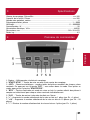
Control panel operation
English
4
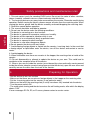
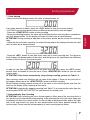
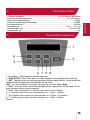
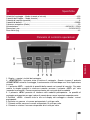
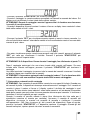
1. Display – shows counting results.
2. «START/STOP» button starts and continues counting. When you press the
«START/STOP» button during counting, the counter will stop after finishing the current
process.
3. «RPT» button – checks the quantity of the coins in the receiving slots.
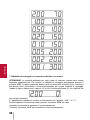
In order to view the individual quantity in each receiving slot, press the «RPT» button several
times (as needed). Press this button to exit this mode.
4. «BTH» button turns on the preset mode. The batch quantity for each denomination must
be set separately.
5. «CLR» button clears all the figures on the counting display and resets the batch number.
6. «+» button adds to the batch number by 1 unit.
7. «+10» button adds to the batch number by 10 unit.
8. «-» button reduces the batch number by 1 unit.
5