1
English
Warning:
A battery short can cause a large current flow, overheating, possible burns
and even a breakdown.
9. Do not store the tool and Battery Cartridge in locations where the temperature may reach or exceed 50°C (122°F).
10. Do not incinerate the Battery Cartridge even if it is severely damaged or is completely worn out. The battery cartridge can explode in a fire.
11. Be careful not to drop, shake or strike battery.
12. Do not charge inside a box or container of any kind. The battery must be placed in a well ventilated area during charging.
Operation
Always Check that the power supply corresponds to the voltage on the ratings plate on
your charger.
Charging With The Diagnostic Charger
Note: Newly purchased Batteries are not fully charged and must be charged before using in your
cordless tool(s).
• Plug the battery charger into the proper AC voltage source.
• Insert the battery cartridge so that the ribs on the battery cartridge slide into the grooves on the battery charger. Insert the cartridge fully into the charger.
• When the battery cartridge is inserted, the Green charging light will Flash indicating the
charger has started the charging cycle. A steady Green light will indicate the battery is completly charged and should be removed from the charger.
• "A steady Red light after inserting the battery" indicates the battery is too warm to be
charged. Once the battery has cooled, the Red light will go off and the flashing Green light
will illuminate indicating the charge cycle has begun. • "RED Light Flashing after inserting the battery" This indicates the battery pack is
deffective and needs to be replaced. Please dispose of the deffective battery in the
perscibed method explained in this manual.
• After charging, unplug the charger from the power source.
• Other tips for extending Battery life: Do not store batteries completely discharged. Charge them fully before storing.
Warning:
Always be sure that the tool is switched off before insertion or removal of the
battery cartridge.
Installing or removing battery cartridge
•
•
•
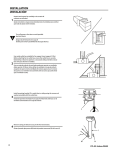
To remove the battery cartridge, withdraw it from the tool while depressing the tabs on both sides of the cartridge.
To insert the battery cartridge, align the ribs on the top of the battery with the grooves in the housing and slide it into place. Always insert it all the way until it locks in place with a little click. Lightly pull on the battery cartridge to ensure it is locked into place and will not accidentally fall out of the drill, causing an injury.
Do not use force when inserting the battery cartridge. If the battery does not slide in easily, it is not being inserted correctly.
Important Battery Information: Disposing the Battery Pack
•
•
•
Your batteries are Lithium-Ion rechargeable batteries. Certain Local, State and Federal laws prohibit disposal of these batteries in ordinary trash.
Consult your local waste authorities for your disposal/recycling options.
More information regarding battery disposal in U.S. and Canada is available at;
http://www.rbrc.org/index.html, or by calling 1-800-822-8837 (1-800-8BATTERY).