1
BATTERIES
Battery Installation
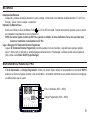
Remove the screw on the battery cover and remove the battery cover. Install two new "C" (LR14 in Europe) size alkaline
batteries. Replace the battery cover and screw.
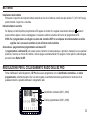
Low Battery Indicator
There is a Low Battery Warning symbol
must be installed in your EZ Command.
on the EZ Command LCD. When this is displayed and flashing, new batteries
NOTE: When radio connected to the EZ Pro if the Low Battery Warning symbol is displayed it means new batteries
must be installed in the EZ Pro.
Turn the EZ Command Remote Programmer On and Off
Turn on the EZ Command Remote Programmer by pressing any key or moving the dial to any position. After 1 minute of
non-use the unit will automatically turn off. To turn the unit off when radio connected press the Radio On/Off key.
EZ PRO RADIO SETUP
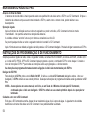
A four digit Controller ID and a four digit Programmer Code must be programmed into the EZ Pro controller prior to making
a radio connection. Once set, the controller will store these in memory and a radio connection can be made at any time.
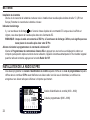
Controller ID (0000 to 9999)
Programmer Code (0000 to 9999)
4