1
GB LS 1254
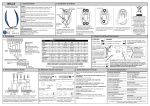
CONNECTIONS ON THE TERMINAL BOARD:
1 – Input 230 Vac line (Phase).
2 – Input 230 Vac line (Neutral).
2 – Outlet lifting motor.
3 – Outlet common motor.
5 – Outlet lowering motor.
6 – Input 230 Vac blinking light (Neutral).
7 – Input 230 Vac blinking light (Phase).
8 - Outlet service power feed at 24 Vac 3 W.
9 - Outlet service power feed at 24 Vac 3 W.
10 - Input open-close control button (NA).
11 - Input common GND.
12 - Input security device (NC).
13 - Input hot pole antenna.
14 - Input ground antenna.
PROGRAMMING OF THE CONTROL UNIT
Programming of the control board is performed using PROG push button, and warning D2 led.
Programming of the remote control
During the programming procedure, 1 or 2 remote-control codes can be memorised.A single code produces
a cyclical movement (Up/Down); using two codes, the upward and downward motion can be controlled
separately.
The remote-control transmission codes are programmed as follows:
– Push the PROG key for 1 second.
– The LED D2 will start to blink.
– Send the first code with the remote control chosen.
– The LED D2 shall start to blink rapidly.
– Send the second code with the remote control chosen.
– The LED D2 stays on, signalling that programming has been completed.
If the second code is not sent within 10 seconds, the control unit leaves the programming phase, selecting
the operating mode only with the remote-control code.This procedure can be repeated until a maximum of
120 remote-control commands are memorised. If all 120 codes have been memorised by repeating the
programming, then LED D2 signals shall begin blinking, signalling that no further memorisation operations are
possible. Remote-control commands can also be memorised without using the PROG key on the control
unit.The procedure is as follows:
1 – Take a remote-control command already memorised and send the code to the control unit, keeping the
button pressed down for more than 10 seconds.
2 – The control unit begins programming, triggering the blinking light; new codes may be programmed
during this phase by proceeding exactly as described above.
If no code has been memorised yet, then the remote programming phase may be activated by any
remotecontrol command.
If you are using a dipswitch remote control (TX-DIP ), before memorising, you will have to select the desired
code setting the dipswitches on the remote control . If you want to use further TX-DIP remote controls, you
only need to set the dipswitches with the same combination as one previously memorised, or follow the
normal memorisation procedure, but selecting a different dipswitch combination.
NB! Also for TX-DIP remote controls, you can memorise entering self-learning with a remote control
previously memorised.
12