1
1. The measured value is lower than
0°C/32.0°F under milk
temperature mode.
2. The measured value is lower than
32°C/89.6°F under body
temperature mode.
C/F conversion
3 short beeps and red
backlit for 3 seconds.
LCD display
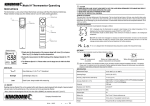
Operation instructions and explanation of displays
Press and hold down button (3) for
4-8 seconds and LCD displays “---”
with the M symbol blinking.
Sound and backlit
Error message
LCD display
Press button (3) again and the LCD
displays the first stored reading with
the M symbol blinking.
Press button (3) and the LCD will
display the serial number of the
stored reading for 1 second and
then display the measured temperature. There are 20 stored readings.
The LCD display will only display
“---”, °C/°F and the M symbol with
the M symbol blinking if there are
no stored readings available.
Sound and backlit
Press and hold down button (3) for
8-12 seconds under shutdown state
to enter the C/F conversion mode.
Press button (3) within 5 seconds after release to change the temperature
unit from °C to °F or from °F to °C
Retrieval of stored readings, Storing 20 readings
LCD display
Operation instructions and explanation of displays
Operation instructions and explanation of displays
Sound and backlit
The LCD Display will display “Er1”
when the ambient temperature exceeds 40.0 °C / 104°F or drops below
10.0 °C / 50.0°F
3 short beeps and
red backlit for 3
seconds.
The LCD Display will display “ErC” if
there is EEPROM data reading error
or if the correcting process is not
finished. Please contact your supplier.
3 short beeps and
red backlit for 3
seconds.
The LCD Display will display the lowvoltage signal (non blinking) when
the battery voltage is below 2.61V .
Please replace the battery.
If the thermometer is not used for 10 seconds it will automatically switch off.
8
9