1
■
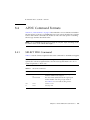
The Java Card RE automatically assigns a new logical channel.
MANAGE CHANNEL CLOSE: Close a specified logical channel from another open
logical channel.
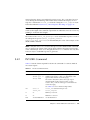
In addition, the SELECT FILE APDU command to select an applet instance is
extended to specify a new or already opened logical channel on which the specified
applet instance is to be selected.
The term origin logical channel refers to the logical channel on which the command is
received based on the logical channel number encoding within the CLA byte, as
described in Section 4.3, “Forwarding APDU Commands To a Logical Channel” on
page 4-9.
4.5
Applet Selection
There are two ways to select an applet instance in the Java Card platform: with a
MANAGE CHANNEL OPEN command (Section 4.5.1, “Applet Selection with MANAGE
CHANNEL OPEN” on page 4-13), or with a SELECT FILE command (Section 4.5.2,
“Applet Selection with SELECT FILE” on page 4-15).
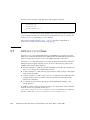
The Java Card RE shall guarantee that an applet that is designed to run on any
logical channel can be selected on any of the available logical channels on the card.
The resources accessed by the applet instance must be the same, irrespective of the
logical channel on which it is selected.
4.5.1
Applet Selection with MANAGE CHANNEL
OPEN
Upon receiving a MANAGE CHANNEL OPEN command on an I/O interface, the Java
Card RE shall run the following procedure:
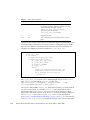
1. The MANAGE CHANNEL OPEN command uses: CLA=%b000000cc* (where cc in
the bits (b2,b1) denotes the origin logical channel: 0-3), or CLA=%0100dddd*
(where dddd in the bits (b4-b1) denote the origin logical channel: 4-19), INS=
0x70 and P1=0. Two variants of this command are supported:
■
P2=0 when the Java Card RE shall assign a new logical channel number.
■
P2= the logical channel number specified.
Chapter 4
Logical Channels and Applet Selection
4-13