1
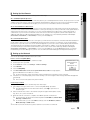
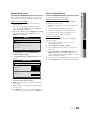
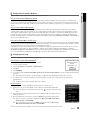
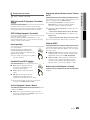
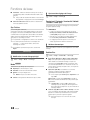
Move to the desired ile using the up/down/right/left buttons and then press the ENTERE or � (Play) button. The ile is
played.
✎ Supports the View Devices and Home in Media Play homepage.
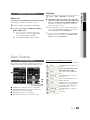
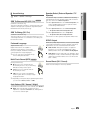
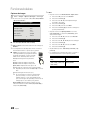
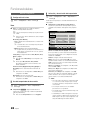
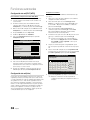
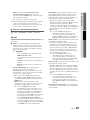
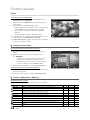
Information:
You can ascertain the selected
ile name and the number of iles
and page.
Videos
1/1 Page
/Movie 01.avi
Movie 01.avi
Movie 02.avi
Jan.10.2010
Movie 03.avi
Jan.10.2010
Movie 04.avi
Jan.10.2010
Movie 05.avi
✎
The sorting standard is
different depending on the
contents.
Movie 07.avi
Jan.10.2010
Movie 08.avi
Jan.10.2010
Movie 09.avi
Jan.10.2010
Movie 10.avi
Jan.10.2010
Jan.10.2010
Select
Change Device
SUM
File List Section:
You can conirm the iles and
groups that are sorted by
category.
Jan.10.2010
Movie 06.avi
Jan.10.2010
Sort List Section:
Displays the sorting standard.
04 Advanced Features
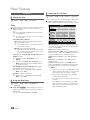
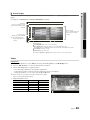
¦ Screen Display
Sorting T Tools
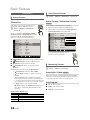
Operation Buttons
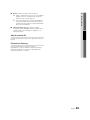
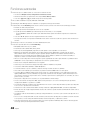
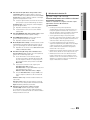
Red (Change Device): Selects a connected device.
B Green (Preference): Sets the ile preference. (not supported in Basic view)
Yellow (Select): Selects multiple iles from ile list. Selected iles are marked with a symbol.
Blue (Sorting): Selects the sort list.
T Tools: Displays the option menu.
✎
Using the � (REW) or µ (FF) button, ile list can move to next or previous page.
Videos
Playing Video
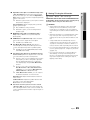
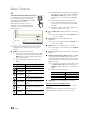
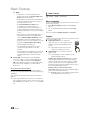
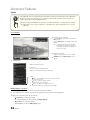
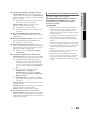
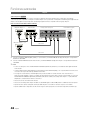
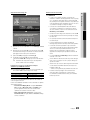
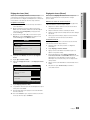
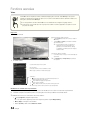
1. Press the ◄ or ► button to select Videos, then press the ENTERE button in the Media Play menu.
2. Press the ◄/►/▲/▼ button to select the desired video in the ile list.
3. Press the ENTERE button or � (Play) button.
– The selected ile is displayed on the top with its playing time.
– If video time information is unknown, play time and progress bar are not displayed.
– During video playback, you can search using the ◄ and ► button.
✎ In this mode, you can enjoy movie clips contained on a Game,
but you cannot play the Game itself.
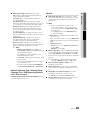
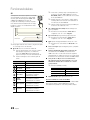
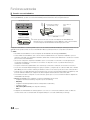
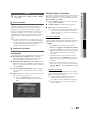
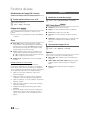
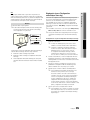
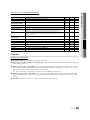
y Supported Subtitle Formats
00:04:03 / 00:07:38
1/1
Movie 01.avi
Name
File extension
MPEG-4 time-based text
.ttxt
Format
XML
SAMI
.smi
HTML
SubRip
.srt
string-based
SubViewer
.sub
string-based
Micro DVD
.sub or .txt
string-based
SUM
E Chaptering L Jump T Tools R Return
English
[UC9000_NA]BN68-03088A-01L03.indb 41
41
2010-06-29 오전 10:33:15