1
About the sensor features.
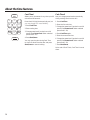
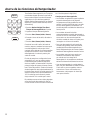
Reheat
1
9
(less time)
(more time)
How to Change the
Automatic Settings
To reduce time by 10%:
Press 1 after the feature pad.
To add 10% to cooking time:
Press 9 after the feature pad.
NOTE: Do not use this
feature twice in succession
RQWKHVDPHIRRGSRUWLRQ³
it may result in severely
overcooked or burnt food.
GEAppliances.com
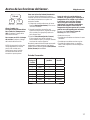
To use the Reheat feature:
The Reheat feature reheats single servings
of previously cooked foods or a plate of
leftovers.
1. Place covered food in the oven. Press
Reheat.
2. Using the conversion guide below, enter
IRRGFRGH)RUH[DPSOHSUHVVSDG 1 for
Pizza.
It is best to use Cook Time for these foods:
• Bread products.
• Foods that must be reheated uncovered.
• Foods that need to be stirred or rotated.
• Foods calling for a dry look or crisp
surface after reheating.
3. Press Start/Pause. The oven signals
when steam is sensed and the time
remaining begins counting down.
Do not open the oven door until time is
counting down. If the door is opened, close it
and press Start/Pause immediately.
After removing food from the oven, stir, if
possible, to even out the temperature. If
the food is not hot enough, use Cook Time
to reheat for more time. Reheated foods
may have wide variations in temperature.
Some areas may be extremely hot.
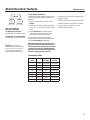
Conversion Guide
Food Code
Entry
Food
Available
Servings
Ounces per
serving
1
Pizza
1-4 Slices
2 ounces
2
Plate
1
3
Soup
1-4
4 ounces
4
Pasta
1-4
4 ounces
5
Beef
1-4
4 ounces
6
Poutry
1-4
4 ounces
7
Pork
1-4
4 ounces
8
Fish
1-4
4 ounces
21