1
1. Install the software
As a SpeechLive transcriptionist you can create the documents from the sound file on your desktop
computer. The dictation workflow will be securely managed via your SpeechLive user account.
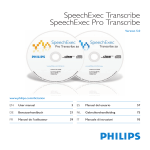
Before activating your SpeechLive user account please make sure that you have installed the Philips
SpeechExec Pro Transcribe 8.1 software or later.
You can download the SpeechExec software from the link below:
Download SpeechExec Pro Transcribe
D Note: For SpeechExec software you need to have a valid license key available. License keys can be
ordered in the SpeechLive online shop or at your preferred SpeechLive partner.
2. Activate your SpeechLive user account
Invitation email
Open the invitation email that you have received from the SpeechLive system and click on the activation link
mentioned in the Step 2 of the email:
D Note:
If you cannot click on the link please copy the link into your browser’s address bar and press the
enter button on your keyboard!
Activation page
For security reasons you will be forwarded to a website where you have to define a password for your
SpeechLive user account (your e-mail address is filled in automatically):
1
1.
Type in your password
2
2.
Confirm your password by entering it a second time
3
3.
Click on the Accept invitation button.
john.doe@speech.com
1
2
3
The final step is to connect your dictation application with your SpeechLive user account
2/6