1
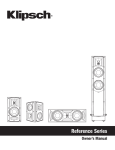
TOWER WITH DOCKING for iPod and iPhone
DS100i
REMOTE CONTROL
1
MUTE: Mutes the sound or turns it on again.
12
SOURCE: Select different source.
2
POWER: On/Standby.
13
DIMMER: Adjust display brightness.
Numerical keypad: use the numerical keys (1 to
8) to select a title, chapter or track number. After
entering a number, press SELECT. Use to access
the radio frequency directly.
14
3
4
VIDEO/ Numerical key 0: Press it repeatedly
to switch between Composite and Component
video output modes./ Numerical key 0.
5
CLOCK SYNC/ Numerical key 9: Synchronize
the device and the iPhone. (The unit displays the
same time as the iPhone)./ Numerical key 9.
6
PLAY LIST: Cycle through the playlists on the
connected iPod/iPhone.
7
ALBUM: Select your desired album for playback
on the connected iPod/iPhone.
8
9
/ST
REPEAT/ST: Select repeat play modes./ Switch
between FM STEREO and FM MONO modes.
15
MENU: Switch between the folder list and the file
list for iPhone/iPod.
16
TREBLE w/s: Adjust the treble effect.
17
18
BASS w/s: Adjust the bass effect.
CLOCK
VIEW/
CLOCK VIEW/SHUFFLE: Check the current time,
press the button again to resume the previous
display./ Select shuffle play modes.
19
UP: Navigate through iPhone/iPod menu.
20
SELECT: Confirm selections.
SLEEP: Set the sleep timer.
iPod-/TUN-:
• In FM mode, press to decrease the frequency
(0,05 MHz). Press and hold to launch the
automatic scanning to go back and release:
the automatic scanning stops when channel
received.
• In iPod/iPhone mode, press to go back to the
previous track. In playback mode, press and
hold it to rewind and release it to resume normal
playback.
iPod+/TUN+:
• In FM mode, press to increase the frequency
(0,05 MHz). Press and hold to launch the
automatic scanning to go back and release:
the automatic scanning stops when channel
received.
• In iPod/iPhone mode, press to go back to the
next track. In playback mode, press and hold
it to forward and release it to resume normal
playback.
21
10
DOWN: Navigate through iPhone/iPod menu.
22
11
CHAPTER +/-: Select a corresponding chapter
for playback.
23
VOLUME +/-: Decrease or increase the volume
level.
12
TIME
SET/
MEM
PLAY/PAUSE/TIME SET /MEM: Start or
pause play./ Press and hold this button to set
the clock./ In radio mode, press and hold to
memorise the radio stations. Press to select the
preset station.
11 EN