1
numeric mode
Press # in a text entry view until you see Ã.
Press the number keys to enter the numbers you
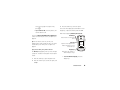
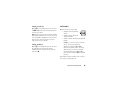
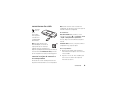
volume
Press the volume keys to:
want.
•
turn off an incoming call alert
Shortcut: You can press and hold a number key to
•
change the earpiece volume
during calls
temporarily switch to numeric mode from iTAP® or
Tap modes. Press the number keys to enter the
numbers you want. Enter a space to change back to
•
change the ringer volume from the home
screen
iTAP mode.
Tip: Sometimes silence really is golden. That’s
symbol mode
why you can quickly set your ringer to Vibrate or
Press # in a text entry view until your display shows
Silent by holding the down volume key while
a list of symbols. Scroll to the symbol you want, then
switch to Vibrate or back by holding # in the
press the center key s.
you are in the home screen. You can also
home screen.
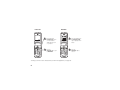
To change your ringer volume when your phone is
closed, see page 26.
basics
25