1
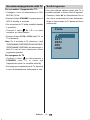
to your IDTV automatically. This operation will
• Navigating the entire list of channels
normally take approximately 30 minutes.
• Moving channels
Displaying the Subtitles
• Deleting channels
With digital terrestrial broadcasting (DVB-T),
some programmes are broadcast with
• Renaming channels
subtitles. Subtitles can be displayed when
watching these programmes.
• Setting favourites
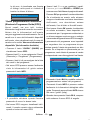
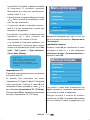
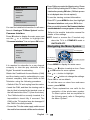
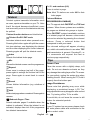
• Whenever GREEN button is pressed, subtitle
selection OSD will be displayed on the screen.
You can set subtitles as On or Off. For subtitle
• Adding locks to channels
• Channel List is the place where the channels
are managed.
Navigating the Entire Channel List
language options, refer to “Language
Settings” in the “Configuration Menu” section.
• Press a or b keys for selecting the previous
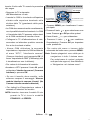
Teletext
or
• You can press
pageup or page down.
Use of teletext and its functions are identical
to the analogue text system. Please do refer
to the “Analogue teletext” explanations.
IDTV Menu System
The IDTV menu can only be shown when
watching digital terrestrial broadcasting. Press
the TV/DTV button to turn the IDTV on while the
TV is in the analogue mode.
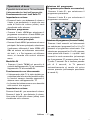
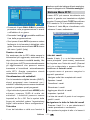
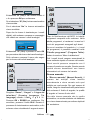
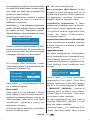
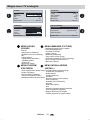
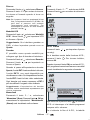
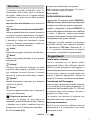
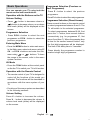
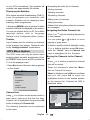
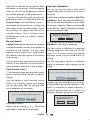
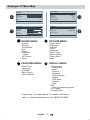
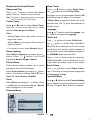
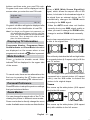
• Press M button and the menu below appears
on the screen:
Main Menu
or next channel.
buttons to move
• To watch a specific channel, highlight it using
a or b buttons and then press OK button,
while the “Select” item on Channel List
menu is highlighted via _ or ` buttons.
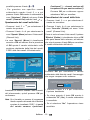
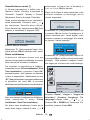
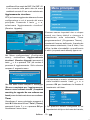
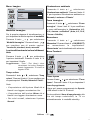
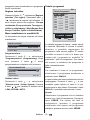
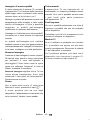
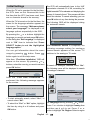
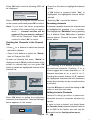
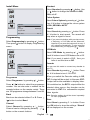
Moving the Channels in the Channel
List
• Press a or b buttons to select the channel
that will be moved.
• Press _ or ` buttons to select the ‘’Move’’
item on Channel List menu.
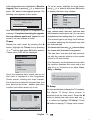
• “Move” is displayed next to OK item to indicate
that you can press OK to move the
Channel List
Installation
highlighted channel to the desired position
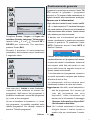
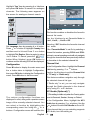
on the channel list. Channel list OSD is
Configuration
Timers
illustrated below:
TV Setup
Common Interface
CHANNEL LIST
Channel List
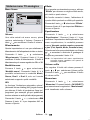
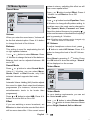
Using a or b buttons on the remote control in
main menu, make sure that the first item,
Channel List, is highlighted and press the OK
button to display the Channel List.
The following operations can be performed
in this menu:
English - 65 -
1. BBC ONE
2. BBC TWO
3. ITV 8
4. Channel 4
5. BBC THREE
6. Teletext
7. BBC FOUR
8. Sky Travel
9. UKHistory
10. RTL
Selec t
Function
1
Move
Delete
Select Channel
Edit Nam e
SELECTMove
OK
BBC ONE
Loc k
Fa vourites
iMore