1
LC-32FH500
LC-32FH510
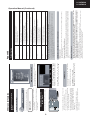
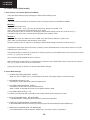
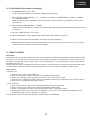
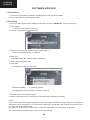
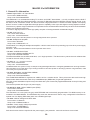
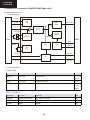
3. Remote control key operation and description of display in adjustment process mode.
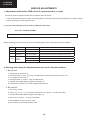
1. key operation
Remote control key
Keyboard unit
Function
P (s/r)
Moving an item (line) by one (up/down) on “Sharp Factory Menu”
or submenus.
b
Selecting a submenu on lines 5 to 12 of “Sharp Factory Menu” or
executing a function.
Cursor (▼/▲ )
OK
Cursor (◄/►)
V (+/-)
Changing a selected item setting value.
MENU
MENU
Return to “Sharp Factory Menu” from a submenu.
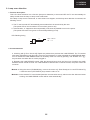
The required input mode should be switched previously to enter the Service Mode.
CAUTION: Use due care in handling the information described here lest the users should know how to enter the
adjustment process mode. If the settings are tampered with in this mode, unrecoverable system
damage may result.
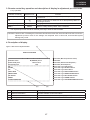
4. Description of display
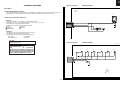
(1)
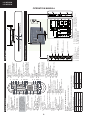
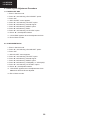
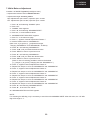
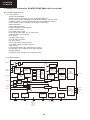
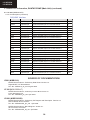
Figure 1: Main Service Adjustment Menu
SHARP FACTORY MENU
Main version
32
32
10 SHARP
S
1 21 S
S v71t
1 MSTAR
S
C
2334
3434
32FH510E
v1.21
SEES
CL233434
Bootloader version
← Informative.
BD_MST064E_C01A 2
Normal standby cause
Error standby cause
← Informative (Main microprocessor version).
← Informative (Remote Control/Keyboard…).
Remote control
← Informative (None/Lamp Error).
None
INIT
← Press “OK” to go to INIT submenu.
ADJUST
← Press “OK” to go to ADJUST submenu.
ETC
← Press “OK” to go to ETC submenu.
PUBLIC MODE
← Press “OK” to go to PUBLIC MODE submenu.
SMARTLOADER
← Press “OK” to go to SMARTLOADER submenu.
ADC ADJUST
← Press “OK” to go to ADC ADJUST submenu.
GAMMA
← Press “OK” to go to GAMMA submenu.
SYSTEM INFORMATION
← Press “OK” to go to SYSTEM INFORMATION submenu.
(2)
(3)
No.
Description
Display specification
(1)
Service Information
Current Software version and others.
(2)
Item name
Submenus to be checked or adjusted (by pressing “OK” button)
(3)
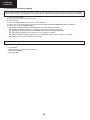
Factory init and Inch setting
Are shown on INIT submenu
17