1
Operating the TMD
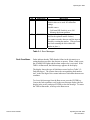
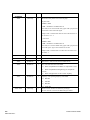
NO.
E1
E2
MESSAGE
COLD ST
MEANING
The detector cold started on power up.
Default values were used for calibration
settings.
Possible causes:
• Cold start DIP Switch is set to ON
• Memory checksum problem
RESETDIS The reset disable input is open. (This input is
used for the optional marker feature.)
You cannot reset the detector until the input is
closed by resetting the marker. (This prevents
you from restarting the belt without the
marker in place.)
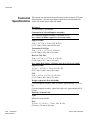
Table 3–1. Error Messages
Fault Conditions
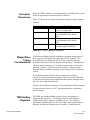
Faults indicate that the TMD found a failure in the electronics or a
setting that does not allow the detector to operate. When a fault occurs,
the ALARM LED lights and the alarm output relay is activated. If the
TMD is in Run mode, the fault message appears on the display.
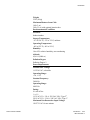
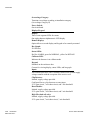
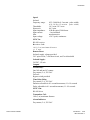
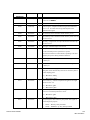
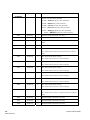
The display shows the type of fault that occurred (refer to Table 3-2:
Fault Messages). The counter shows the corresponding fault number.
An F in the first digit of the counter indicates a fault rather than an error
condition.
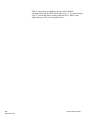
To clear a fault message from the Run screen, press the ENTER key.
Correct the fault condition, scroll to the error message display (the last
display in the scroll), and press ENTER to clear the message. To return
the TMD to Run mode, scroll up to the Run screen.
Thermo Fisher Scientific
Operating the TMD 3-15
REC-4105 Rev L