1
SiE 00-07
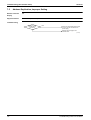
1.4
Test Operation
Setting Modes
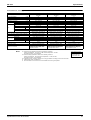
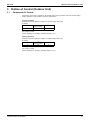
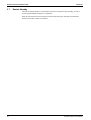
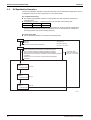
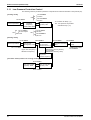
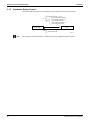
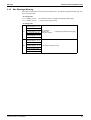
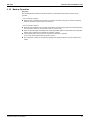
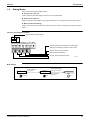
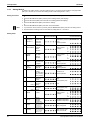
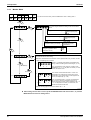
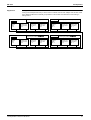
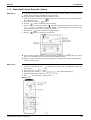
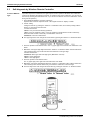
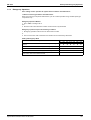
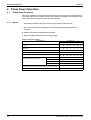
There are the following three setting modes.
Setting mode 1 (H1P off)
Used to select the cool/heat setting, low-noise run and sequential start.
Setting mode 2 (H1P on)
Used to modify the running status and to program addresses, etc. Usually used in servicing the system.
Monitor mode (H1P flashing)
Used to check the programs made in the setting mode 2, the number of units being connected, and other
entries.
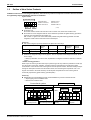
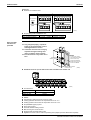
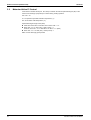
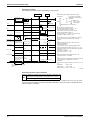
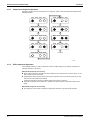
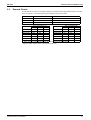
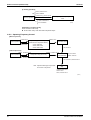
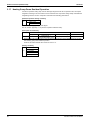
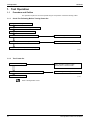
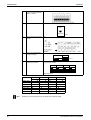
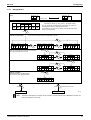
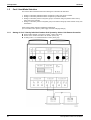
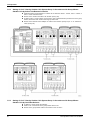
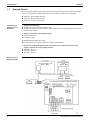
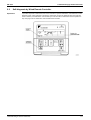
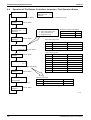
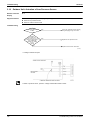
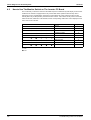
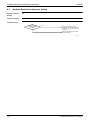
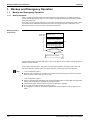
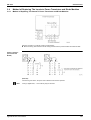
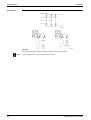
Functions of Pushbutton Switches
Used to set the cool/heat select.
IN/D OUT/D
UNIT UNIT
C/H
SELECT
SS1
C / H select
MODE TEST
IND
H1P H2P
MODE
H3P
SET
L.N.
SEQ.
MASTER SLAVE O.P START
H4P
H5P
H6P
Used to rearrange the addresses in modifying the
cabling or increasing the number of indoor units.
H7P
RETURN WIRING CHECK RESET
Used to check for wrong cabling.
BS1
BS2
BS3
BS4
BS5
Used for field programming.
Used to change the setting modes.
(VL120)
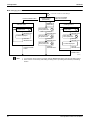
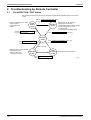
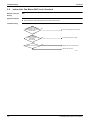
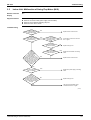
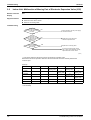
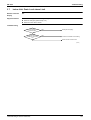
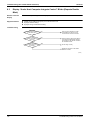
Mode Change
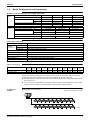
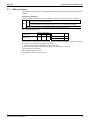
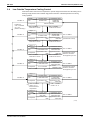
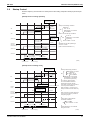
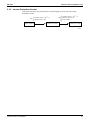
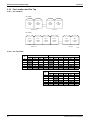
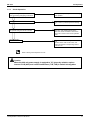
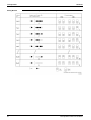
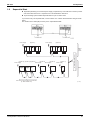
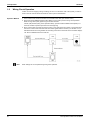
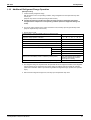
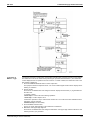
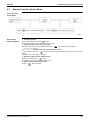
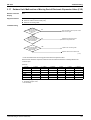
Using the MODE button, the modes can be changed as follows.
Press the MODE
button once.
Monitor mode
MODE
(Normal)
Setting mode 1
MODE
Flashing
H1P
Off
H1P
Hold down the MODE
button for 5 seconds.
Setting mode 2
Press the MODE
button once.
MODE
On
H1P
(VL121)
Test Operation R-407C PLUS Series
81