1
Back Ground Music (BGM)
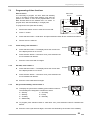
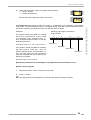
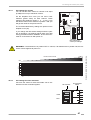
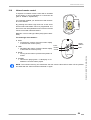
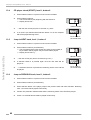
Example: The jukebox should play random tracks from 09.00 in the morning to17.00 in the afternoon..
Enter:
0-9-0-0- 1-7-0-0
start time
stop time
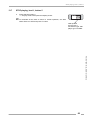
To check the start time: press selection button 8. To check the stop time: press selection button 8
again.
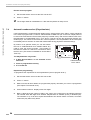
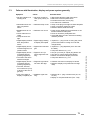
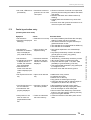
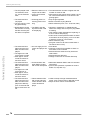
If the Playstimulator does not work. Check if:
OPERATING INSTRUCTIONS
!
the clock is set correctly ?
!
start and stop time is programmed?
!
repeat time is set correctly (not 0)?
!
BGM play mode is disabled (ref. to next chapter).
!
credits are still in memory. Display the remaining credits by pressing button R. If so, delete with
button LT.
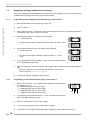
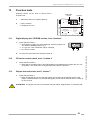
Exit the service program:
1.
Set the slide switch ‘service’ at the SCC unit to OFF.
2.
Press ‘LT’ button.
" The changer starts an initialisation run. After this the jukebox is ready to operate.
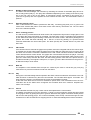
7.5
Back Ground Music (BGM)
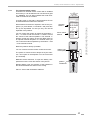
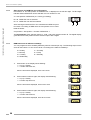
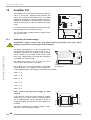
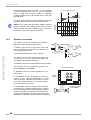
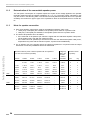
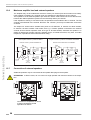
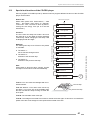
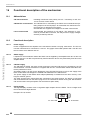
If BGM is programmed and activated a random track from the CDs declared for BGM will be played.
The time between the last selected played track and the first BGM track is programmable between 1
and 98 minutes. This time is also the repeat time between two BGM tracks.
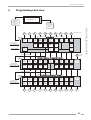
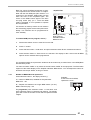
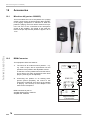
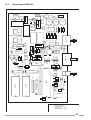
amplifier K99
Intern
Extern
Channel 1 Channel 2 Bass
Treble
BGM
ANZEIGE / DISPLAY
MUTE
TAPE
RS 232
AVC
RS232
MICRO
BGM
ok.
SCHALTER / SWITCHES
AUTO 1 MUTE
NORMAL 2 RS232
INFRAROT-REGLER
INFRARED-REMOTE
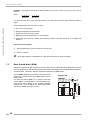
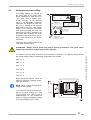
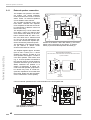
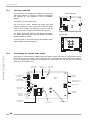
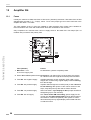
For the K99 amplifier the reproduction loudness will be
reduced by a certain factor in the BGM (Back Ground
Music) mode.
You also can switch “BGM” on by means of the DIP
switch “BGM” for test purposes. The RH bottom segment of the status display on the amplifier indicates
“BGM active”. You can adjust the volume attenuation
with the pot “BGM”, as long it is active.
AUS/OFF
SERVICE
SEPARATE 1 VOLUME PARALLEL
HIGH
AUS/OFF
STEREO
CD
2
3
4
5
AVC
AVC
MODE
INPUT
AUS/OFF 6 BGM
LOW
EIN/ON
2-KANAL/2CHANNEL
TAPE
EIN/ON
ERWEITERUNG
EXTENSION
26
FERNREGLER
REMOTE-CONTROL
OMT CD – Edition: 12.05.2005