1
17-2 TURNING POWER ON - SOFTWARE INSTALLATION
17
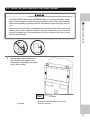
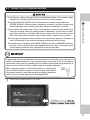
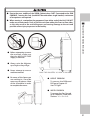
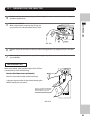
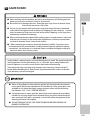
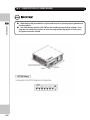
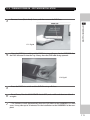
• Use a soft dry cloth to wipe off any dirt or marks on the DVD Drive.
SOFTWARE INSTALLATION
- If you need to use a cleaning agent, always use a “neutral” agent diluted in water.
- Never use products or cleaning agent containing benzene, alcohol, thinners, etc.
• Do not touch the LENS inside the DVD Drive. Doing so may prevent it from reading
accurately.
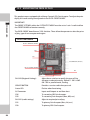
• The chip components on the IC board can be damaged by electrostatic discharge
from the human body, before handling an IC board always neutralize any static
charge in the body by touching grounded metal surface.
• Some parts are not designed and manufactured specifically for the Software Kit .
Manufactures may discontinue, or change the specification of such general purpose
parts. In which case, SEGA cannot repair or replace a failed component whether of
not the warranty period has expired.
HANDLING THE DVD-ROM DISC
• Do not use a DVD with a damaged Face. This may cause a malfunction.
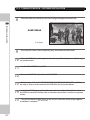
• Insert the DVD ROM into the DVD Drive with the label facing upwards.
• Do not get finger prints or dust particles on the disc. Contaminated discs may lower
audio and video quality, and may result in read malfunctions.
• When cleaning the disc, do not use volatile chemicals (benzene, thinners, cleaning
sprays, or antistatic agents, etc.).
• Do not use a cracked, warped, or damaged disc.
• Do not attach papers or seals onto the disc to avoid scratching it.
• Do not use a disc with signs of peeled seals, tape, etc
• If such a disc is placed the DVD ROM Drive, malfunctions, such as the inability to
remove the disc from the drive, may result.
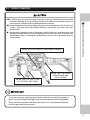
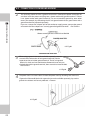
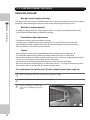
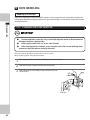
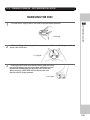
• When cleaning a contaminated disc, use a soft cloth that has been soaked in water
and squeezed. After wiping, remove any remaining moisture with a clean dry cloth.
(See 6-5 Fig 01)
• When handling a Disc be careful not to contaminate it with your fingerprints.
108